Gym Log App: How to Record Sets and Review Progress

A gym log app records what you performed: exercise, date, sets, reps, and load. Its main job is to make that record available next time you train, so you can compare similar sessions and follow your program without relying entirely on memory.
If you cannot remember whether you completed eight reps or seven last time, a clear log helps. Paper, a spreadsheet, or an app can all do that job. This guide explains which details to record and how Setgraph’s exercise-centered workflow can organize them.
What a gym log app adds to a notebook
Training progress does not require a new best every session. A log gives you a baseline for applying the progression rules in your program, while also recording maintenance, deloads, and missed targets honestly.
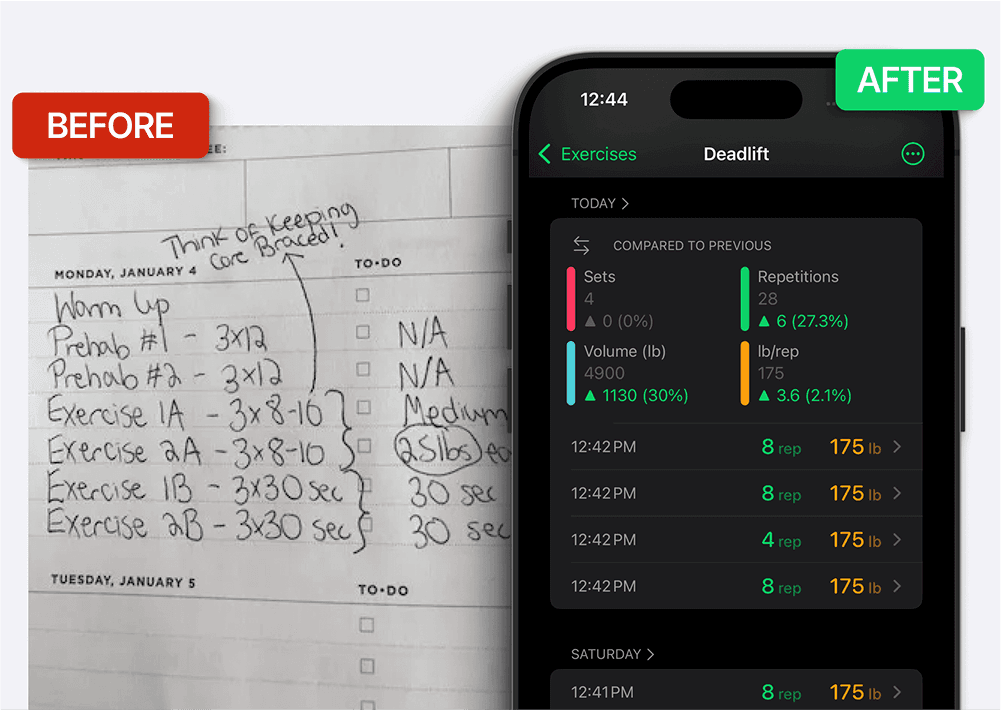
A paper logbook can be reliable. An app adds conveniences such as reusable entries, automatic totals, and charts, depending on its features. Whether that reduces effort for you is a practical preference. Our paper-to-app guide covers the tradeoffs.
Logged strength performance is useful feedback, but it is not a direct measurement of muscle growth. Load and reps can change with technique, practice, range of motion, or fatigue. Review comparable sessions over time rather than treating one rising or flat chart as a verdict on the whole program.
What Makes a Good Gym Log App
Choose features that make your own records easier to enter and revisit. You do not need every tool below to keep a useful log.
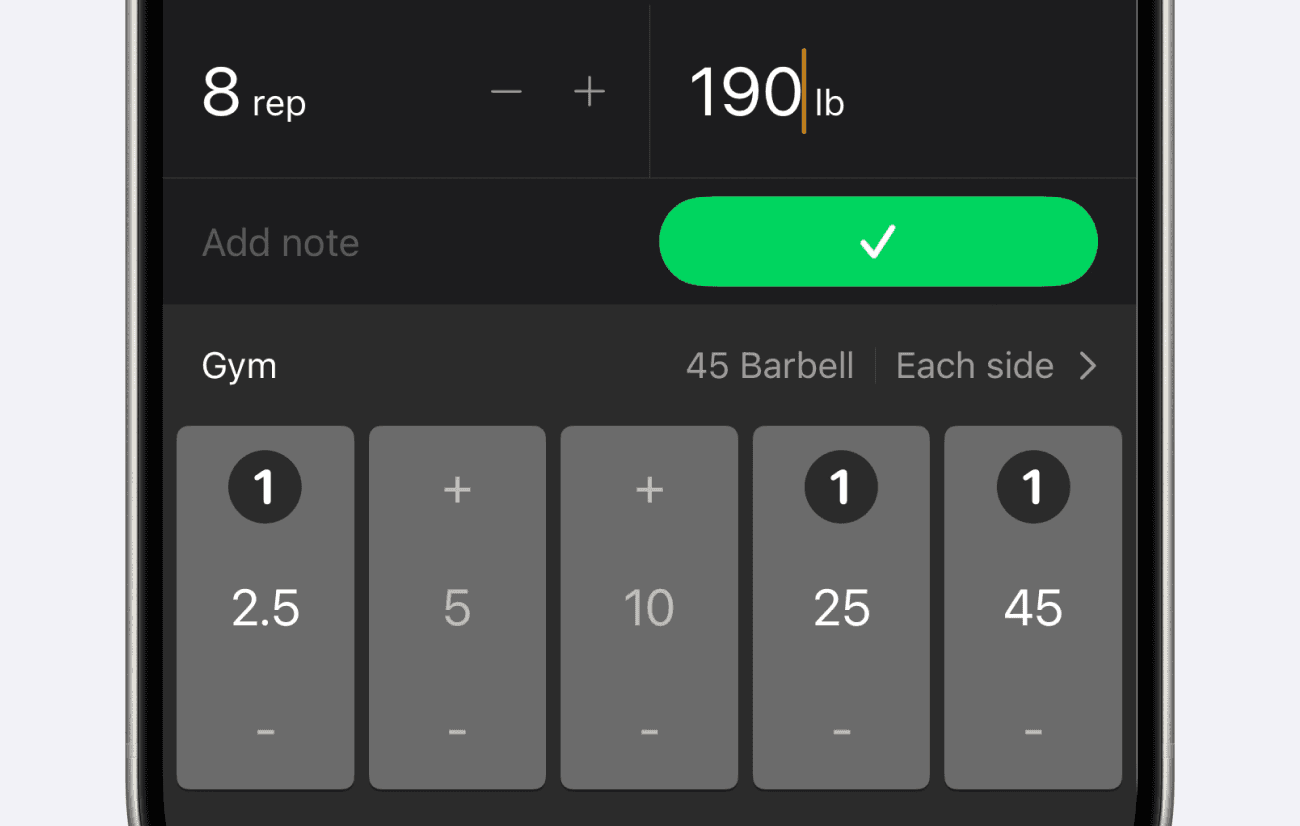
Convenient set entry. Try entering a set, repeating it with a change, and correcting a mistake. Pre-filled values and shortcuts can help, but their value depends on your workflow rather than a universal tap count.
Complete set history. You want to open any exercise and immediately see what you did last time and the times before that. That history gives you a reference for comparing sessions and following your plan.
Trend analytics. Individual sessions can vary. Charts of weight, reps, and volume help you review longer trends alongside the actual sets, equipment, and technique.
Flexible structure. Some people follow a written program, others decide what to do when they arrive. A strong gym log app supports both without forcing you into a rigid template.
Plate math and rest timing. Small conveniences like automatic plate calculation and a built-in rest timer keep you focused on lifting instead of doing arithmetic or watching the clock.
Setgraph’s workout log feature is one implementation of these ideas. The goal is to preserve information you can use, not to make logging itself responsible for training gains.

How to Log Workouts the Right Way
Owning a gym log app is not the same as using it well. The goal is a record complete enough to guide your next session but light enough that you never dread updating it.
For each working set, record the exercise, date, load and unit, and reps actually completed. Add duration for timed work. An effort estimate and a short note can supply context. If you log warm-ups, label them consistently so they are not confused with working sets.
If you planned eight reps and completed seven, record seven. For an illustrative 3 × 8–10 scheme, 80 lb for 10, 10, and 9 is different from three sets of ten. You might aim to complete the rep range with comparable technique and effort before considering the smallest practical load increase. Follow your program rather than increasing automatically. See the progressive overload guide for more context.
Record while the details are fresh when practical. If you enter them later, distinguish a remembered estimate from a recorded result. Never repeat a previous set entry just because you intended to match it.
Structuring Your Gym Log Around How You Train
A common mistake is over-engineering your log before you have any data. You do not need an elaborate program on day one. If you are about to bench press, add Bench Press to your exercise list and start logging. That is enough to begin building history.
Group exercises into named workouts when that makes navigation easier. In Setgraph’s released iOS workflow, the same exercise can be included in multiple workout lists while its exercise history stays together. That is different from creating separate entries for distinct exercise variations.
Keep your program instructions in notes. For example, put “Bench press: 3 × 8–10” in the workout-specific exercise note, and a stable equipment cue in the exercise’s general note. Record the actual reps separately. Our guide to tracking sets and reps explores organization in more detail.
Turning Your Log Into Progress You Can See
A gym log becomes powerful when you stop treating it as a diary and start treating it as data. The numbers you enter are only half the value; the other half is what the app does with them.
Charts are a prompt to review the underlying sets. More volume may reflect more sets rather than more strength; a flat period may be planned. Compare the same movement and setup, then consider effort, technique, and recovery before changing a variable. A workout tracker summarizes the record rather than making that decision for you.
Session summaries can show how much work you recorded and how long it took. They do not measure workout quality or diagnose overtraining. Keep them alongside exercise-level detail and the goals of your plan.
How to Apply This in Setgraph
The following example describes Setgraph’s released iOS workflow. Setgraph is also available on Android, but device availability alone does not establish identical features or access. Use the options available in your installed version.
Record from an exercise. Open My Exercises or a workout list, choose the movement, and record the completed set. On iOS, swipe-to-record and pre-filled values offer shortcuts. Check the values before saving. When repeating an entry, make sure the new set actually matched it.
Read history before choosing the next target. Use the 3 × 8–10 example above to see which reps were completed. Keep units and setup consistent. Your program and current performance determine whether to hold, increase, or reduce the work.
Review Analytics in context. Compare load, reps, and volume across the logged period. Look at the actual sets behind a change before attributing it to the program. A chart does not measure muscle growth or identify the cause of a plateau.
Those three habits, fast logging, checking history, and reviewing trends, are the whole discipline of using a gym log app well.
Frequently Asked Questions
Q: What is a gym log app?
A gym log app is a mobile tool that records the details of your strength workouts, primarily the weight, reps, and sets you perform for each exercise. It stores that history so you can reference past performance, apply progressive overload, and track your strength trends over time instead of relying on memory or paper.
Q: Is a gym log app better than a notebook?
It depends on your preferences. An app can provide automatic totals, charts, and timers; a notebook offers a simple manual record. Both can support accurate tracking. Try the same session in the format you expect to maintain.
Q: What should I log for each exercise?
Record the exercise, date, units, load, and completed reps for each working set. Add duration for timed exercises and notes for equipment, technique, or effort when useful. Label warm-ups and estimates consistently.
Q: How does logging workouts help me get stronger?
Logging gives you a baseline for following a progression plan and comparing like sessions. It does not guarantee strength gains or prescribe a safe load. Training quality, recovery, and other factors still affect the result.
Q: Do I need to plan my whole routine before I start logging?
No. You can start recording one exercise and organize the list later. Logging without a prebuilt app routine is different from training without an appropriate plan.
Ready to stop guessing and start logging? Build your gym logbook and track every set at setgraph.app.