Exercise Tracker: Use Set History to Guide Strength Training

When a lift stalls, a training log can help you inspect what changed. Without a record of load, reps and the conditions of each session, it is easy to confuse one difficult day with a longer pattern. A plateau can also reflect programming, recovery, technique or other factors; missing data is only one possible problem.
An exercise tracker gives you a record to compare with your next session. It can show what you lifted and how you described the set, but it cannot tell you that you must beat those numbers today. Sometimes repeating the load, doing less work or taking planned rest is the appropriate decision.
This guide covers what to log, how to distinguish different volume measures, and how to use comparable sets to make a more informed next-session decision.
What an Exercise Tracker Actually Does
At its core, an exercise tracker is a record of your training: which movements you performed, how much weight you used, how many reps you hit, and when you did it. That sounds simple, and the best ones keep it simple. The value is not in fancy dashboards. It is in having a reliable, searchable memory of your training history that you can act on in real time.
A good tracker does three jobs:
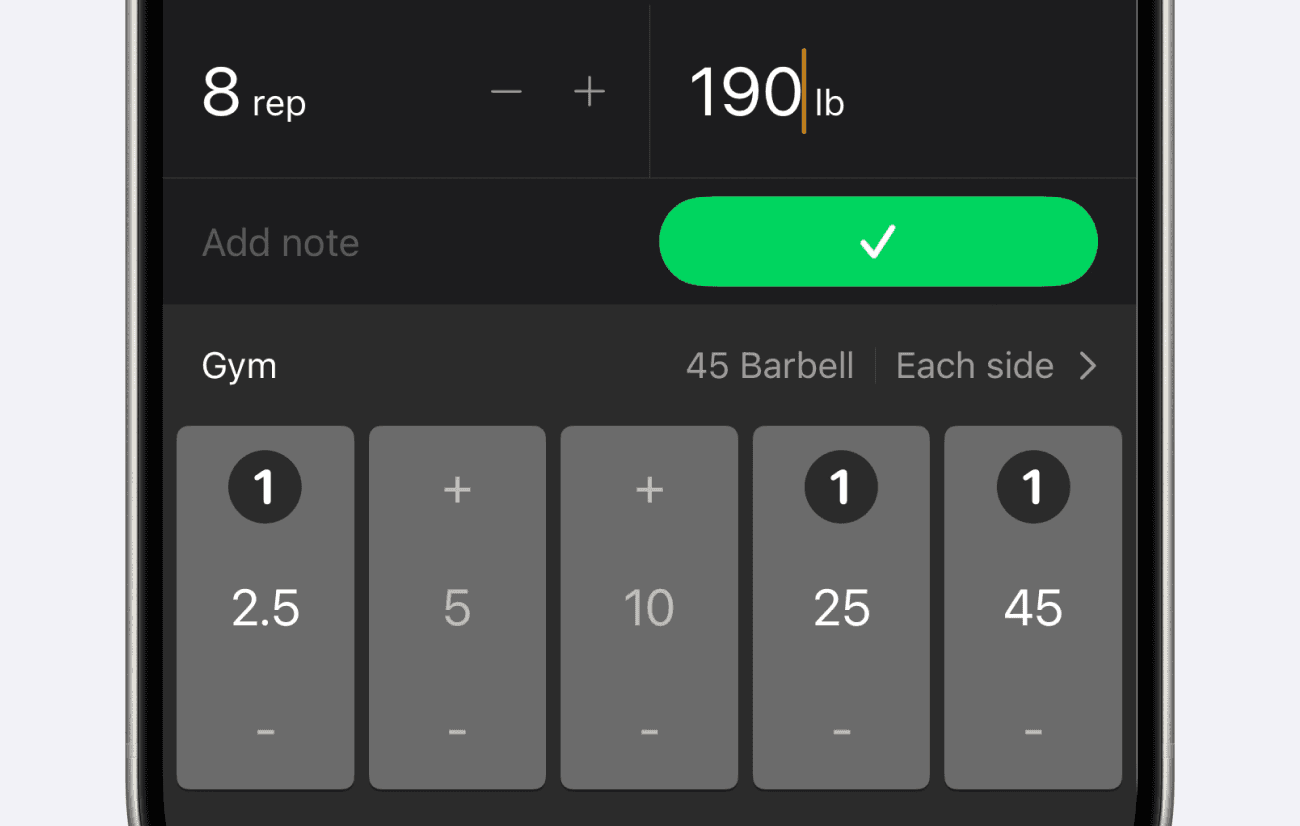
Captures the set. Weight, reps, and the date, with optional notes for how it felt or any cue you want to remember.
Surfaces your history. When you walk up to the bench, you instantly see what you did last time so you can make an informed decision instead of a hopeful guess.
Reveals the trend. Over weeks and months, it shows whether your numbers are actually climbing or quietly stalling.
A notebook can record sets and support a manual review. An app can make retrieval and charting more convenient. Choose the format you will keep using, then compare like-for-like sessions. For a look at Setgraph’s entry screen and notes, see the set-input walkthrough.
Use Performance and Effort Together
Progressive overload means increasing training demands as your capacity develops. Load, repetitions and training volume are possible variables, but they need not rise every workout or all at once. The ACSM progression position stand treats progression as dependent on the goal, training status and individual response; it does not establish that logging itself causes muscle growth.
Record load and reps alongside useful context such as rest, technique and perceived effort. “It felt heavier” is subjective information, but it can still explain why a session differed. Compare it with the recorded performance rather than dismissing it or using it alone.
For an illustrative bench-press example, suppose your plan is 3 sets of 8–10 reps at 80 kg. Session A is 10, 9 and 8 reps; Session B is 10, 10 and 10 with comparable technique, rest and effort. Under a double-progression rule chosen in advance, that second result may justify the smallest available load increase. If it was a maximal grind or technique changed, repeat or adjust instead. At 80 kg, Session A totals 27 reps and 2,160 kg of volume-load; Session B totals 30 reps and 2,400 kg. These numbers describe work recorded, not muscle gained. For the underlying idea, see the progressive-overload guide.

Volume Is a Number You Have to Track
A 2017 meta-analysis by Schoenfeld and colleagues found a dose-response association between weekly resistance-training sets and muscle growth across its included studies. That group-level result does not identify your ideal set count or show that adding sets indefinitely improves results. Use the log to review workload alongside performance and recovery.
Keep weekly working-set counts separate from volume-load. Three bench-press sets are three sets; their volume-load is the sum of reps × external load for each set. Neither number directly measures muscle growth, and an app’s total sets are not automatically a count of hard sets for each muscle. Classify warm-ups consistently and account for muscles shared by compound exercises when reviewing your program.
A 2017 low- versus high-load meta-analysis found similar hypertrophy between loading conditions in studies where sets were taken to momentary muscular failure, while heavier loads produced greater one-repetition-maximum strength gains. This does not mean every workout should reach failure or that any rep range produces identical results. Record the load, reps and effort so you can interpret what you changed.
What You Should Actually Log
More data is not always better. The trick is logging the few things that drive decisions and ignoring the noise. For the vast majority of lifters, that means:
Exercise and date: use a consistent entry for the same movement and setup.
Load, units and reps: record each working set; for dumbbells, state whether the load is per hand or combined.
A short note: record an important technique, setup or effort detail. Stop and assess pain rather than treating it as a number to beat.
Rest when relevant: three minutes versus ninety seconds can change the comparison.
Keep the process manageable. If you log warm-up sets, distinguish them from working sets when reviewing workload. Add only the context you will use. This guide to workout-tracking benefits offers related examples.
Reading the Trend: Where Tracking Pays Off
Several comparable sessions reveal more than one isolated set. A notebook, spreadsheet or app can support that review; charting is a convenience rather than a requirement.
When you can visualize an exercise over time, three things jump out that are invisible session to session:
Possible plateaus: repeated comparable sessions with little change warrant a review of the plan, recovery and execution. A flat chart alone does not identify the cause.
Rep progress: the same load for more reps can show improved performance when technique, effort and rest are comparable.
Different rates of progress: one lift may improve while another holds steady. Compare each movement with its own history before changing priorities.
A systematic review and meta-analysis of exercise order found greater strength gains for exercises performed earlier in a session, with no significant overall hypertrophy difference between orders. Putting a priority lift early is a reasonable programming choice. Record the order when it changes, because fatigue can affect later sets; your own chart cannot isolate exercise order from every other variable.
How to Apply This in Setgraph
In Setgraph, you can add Bench Press in My Exercises, open it and record the set you completed. A workout list is optional. The following features are described for iOS; available features and access can vary by version and account.
Here is how the core features map to everything above:
Previous values and swipe entry: use the recording screen’s pre-filled values as a starting point, then correct them to match the completed set. Swipe right on an exercise to open set entry or repeat a matching completed set from history. Pre-fill is not an automatic load recommendation.
Analytics: review exercise and daily-summary charts for trends. Keep set duration separate from total session time, and compare the same exercise and units. See the graph and filtering overview.
Estimated 1RM: Setgraph offers formula-based estimates for exercises that track both weight and reps. They are estimates, not measured maximal strength or a requirement to test a true maximum.
You do not need to use every feature to benefit. Track only the exercises you care about, log the sets, and let the history do the heavy lifting. As your exercise list grows, you can group movements into named Workouts like Push, Pull, or Legs so today's session is easy to find, but that is an option, not a requirement.
Frequently Asked Questions
Q: Do I really need an exercise tracker, or is a notebook fine?
A notebook is fine if you can record and review comparable sets. An app can simplify history retrieval and charting. Choose the format you will use consistently; an app is not required to make progress.
Q: What is the most important thing to log?
Record the exercise, date, load with units and reps for each working set. Add context such as effort, technique or rest when it changes the comparison. For timed movements, record duration instead of forcing a rep count.
Q: How often should I expect to add weight?
There is no fixed schedule for everyone. Follow the progression rule in your program and consider performance, technique, effort and recovery. More weight is not required every session; repeating or reducing a target can be appropriate.
Q: Does exercise order affect my results?
The exercise-order meta-analysis found greater strength gains for movements trained earlier, with no significant overall hypertrophy difference between orders. Put a priority lift early when appropriate and compare sessions with similar exercise order.
Q: Will tracking make my workouts slower?
Logging takes some attention, and the time depends on the app and how much you record. Short notes, consistent exercise names and reusing accurate previous values can reduce repeated entry. No logging-speed result is promised here.
For your next session, record the completed work and one useful context note. At the following session, compare the same movement before choosing the next target.
Explore Setgraph’s swipe-entry workflow if you want to see how those records are entered.