Setgraph 26.8.0: Workout Personal Records and Share Cards

Setgraph’s iOS 26.8.0 release notes introduced Personal Records and Share Cards. This product guide explains the iPhone implementation from that release: the record calculations, celebration rules, and share-card options. Apple Watch availability does not mean these iPhone screens or every sharing action are available on the Watch.
A personal record in this guide is a recorded performance in your workout log, rather than a predicted maximum. The 1RM calculator remains a separate planning tool. Like any log, Records depends on the accuracy and completeness of the sets entered.
The useful distinction is between a current record, a record you set on a particular day, and an estimated maximum. The table, history, and daily summary answer different questions.
What shipped
Open any exercise. Next to Sets and Analytics there is now a Records tab.
On a weighted lift, the first thing you see is your best lift at every rep range. The app does not keep a separate "1RM, 3RM, 5RM" form you have to fill in. It reads set history and builds a rep-max frontier: for each rep count, the heaviest weight among sets that did at least that many reps. A 100 kg set for 5 also holds the 3-rep and 4-rep slots if nothing heavier exists there. The row you see looks like 1-12 · 225 lb when one load owns a span.
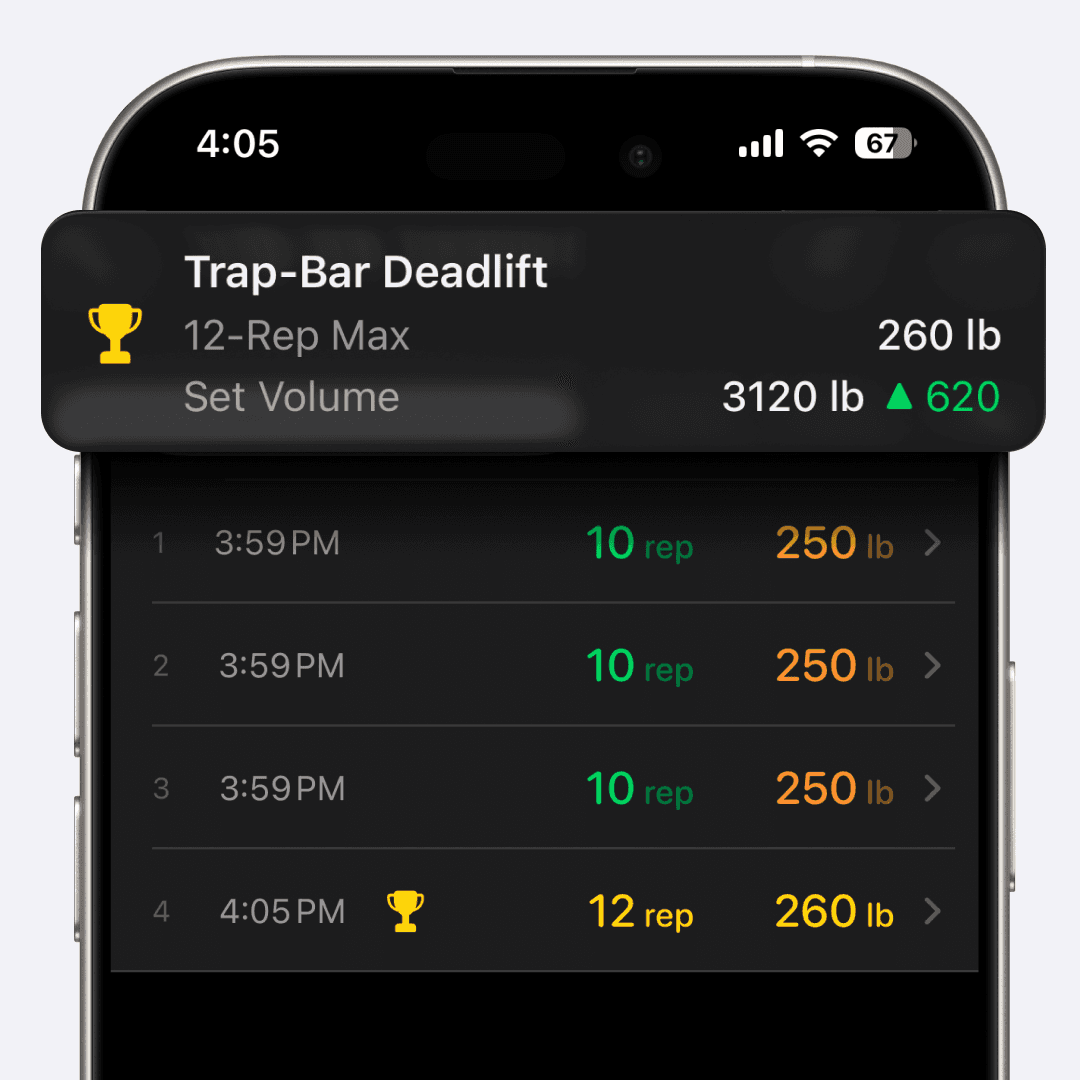
The same tab also tracks set volume (weight times reps) and session volume, which here means the exercise’s total load-repetition volume for a calendar day. Reps-only and timed exercises have applicable rep or duration records. Records follow the exercise configuration; a barbell bench, a pull-up, and a timed hold do not share one template.
When an eligible newly logged set breaks a record and Record Celebrations is enabled, a toast names the records it broke and shows absolute changes. The record-history view provides the percentage perspective. A toast is not guaranteed for every set that looks like a PR; the rules below also apply.
The daily summary counts eligible records set on that day, rather than only records that still stand today. Later training does not erase the earlier achievement. The count is derived from history, so correcting or deleting source sets can change it. Trophies in set history mark current holders.
Why the table looks this way
The hard problem is not storing a PR. It is showing every rep max without lying, and without a spreadsheet that never fits a phone.
The rep-max frontier
Consider this illustrative bench-press week:
Monday: 100 kg for 5
Wednesday: 90 kg for 8
Friday: 110 kg for 1
Friday's single is the 1-rep record. Monday's 100 kg for 5 is the 5-rep record, and it also covers 2, 3, and 4 if you never put more weight on those counts. Wednesday's 90 kg for 8 covers 6, 7, and 8. The table does not invent a 3-rep max you never did. It says: among sets with at least 3 reps, 100 kg is the heaviest, so 100 kg owns 3.
That is the app’s dominance rule: 100 kg for 5 supports a heavier three-rep frontier value than 95 kg for 3. It is a summary of logged load and reps, not a claim that technique, effort, or equipment were identical.
Another common pattern: you press 225 lb for 8, and you have never put 225 on the bar for fewer reps. The row collapses to something like 1-8 · 225 lb. One fact, one line. If you later hit 245 x 3, the span splits. The 1-3 block moves to 245. The 4-8 block can stay at 225.

Why the table uses ranges
The range display keeps repeated values together while showing which rep counts a logged set covers. A row such as 1-12 · 225 lb represents one load across that span. If a heavier set later covers only the lower rep counts, the range splits so both performances remain visible.
What does not count
Most Reps is not tracked as a standalone record for a weighted exercise. Dropping the load can make more reps possible without exceeding a heavier performance. Weighted reps-and-load exercises instead support the rep-max frontier and volume records. A lighter set can still set a record in a different rep range or contribute to a volume record.
Estimated 1RM is not a record. A formula can suggest a number you have not lifted. Records are facts that happened. If you want to plan from an estimate, keep using the 1RM tab. For the testing side, read how to accurately measure your 1RM. For the calculator side, use estimate your 1RM. Neither page is a substitute for the Records tab. They answer a different question: what might you hit, versus what did you hit.
First sessions establish a baseline. The record table can display from the available history, but celebrations require at least two distinct prior training days for that exercise. The daily record count also applies the grace rule. This is a display policy, not a statement that an early performance does not matter.
Derived, not persisted
Records are derived on-device from set history, with no separate persisted PR flag on each set. Correcting a weight or date, or deleting a set, can change the calculated table and holders. Complete, up-to-date history still matters; if another device’s edit is not reflected, refresh the exercise’s set history.
Comparisons always run in kilograms. The unit on screen can be pounds. The comparison does not. Ties go to the earliest date. If you hit 100 kg x 5 in March and again in August, March keeps the record. You already did it.
That design lets the table respond to corrected source data rather than keeping a stale PR flag. It does not promise an import route from another app or instant synchronization of every edit.
A current-holder trophy can move when a later set beats it. A daily summary answers what records were set as of that day, so a later improvement alone does not reduce the earlier count. Both displays can change if you correct the underlying history.
Toast rules
The toast is picky on purpose.
Only newly recorded sets enter the celebration check. Sets arriving through sync or import, and edits to existing sets, do not trigger it.
Recorded-set identifiers are remembered locally to prevent repeat celebrations. This is not a cross-device, permanent guarantee that a toast can never recur.
Each day-level record kind is celebrated at most once per exercise per day while its local deduplication entry is retained.
Deltas in the toast are absolute, not percentages. "+5 lb" or "+2.5 kg", not "+3%".
Percentages live in the history chart, where a trend is useful.
The toast comes from the top of the screen, after you save the set.
For example, if 185 lb for 5 raises the five-rep frontier by 5 lb and the set-volume record by 25 lb of load-repetition volume, both can be listed. The volume delta is not an extra plate load or a measurement of muscle stimulus.
Share cards
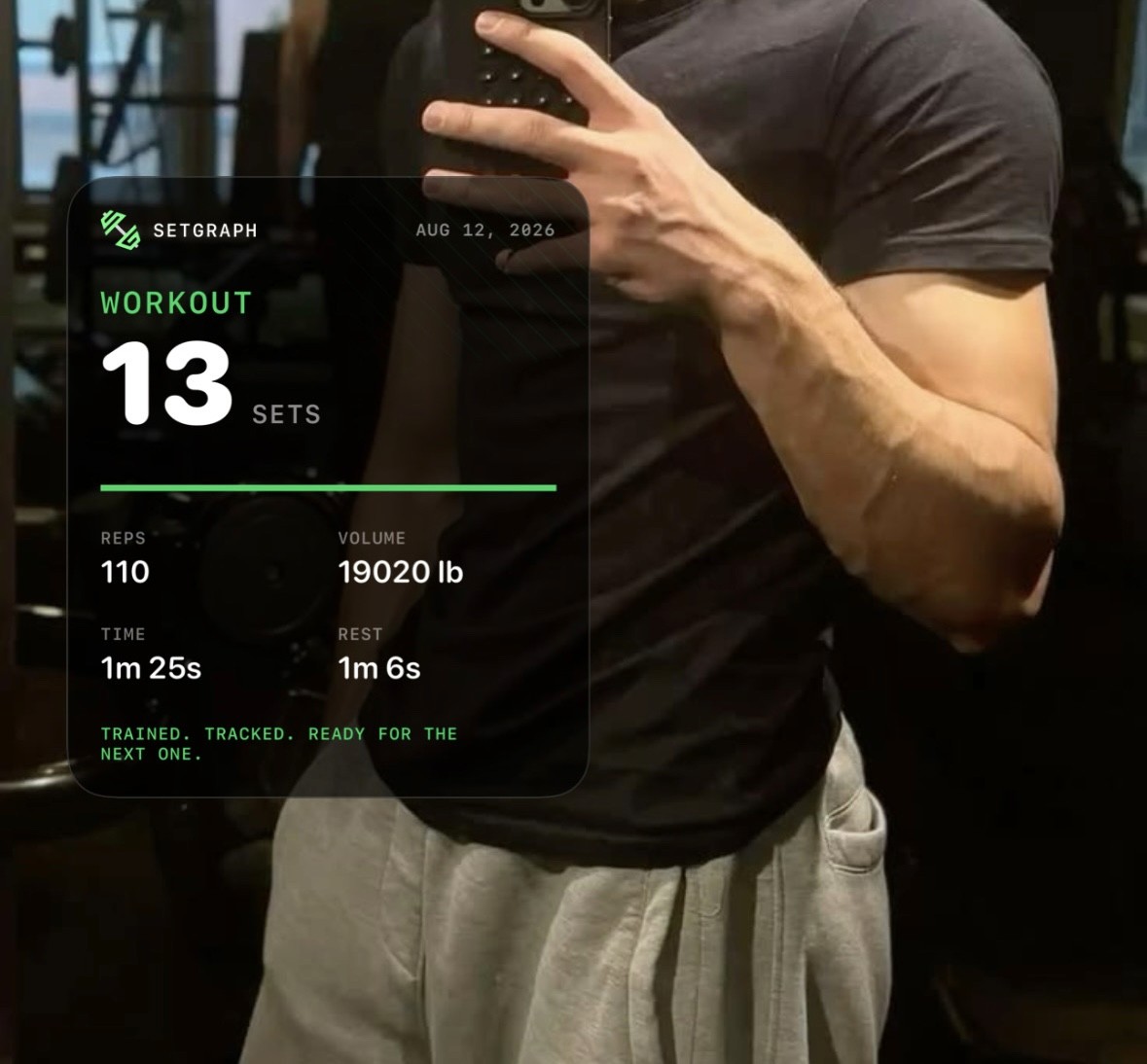
Share cards present the training data already recorded for a day. The release defines six designs, but the choices shown depend on whether that day has set, session, or record data.
The six designs:
PR Spotlight. Highlight a record from the day. This design is available when that day has eligible record data.
Metric Grid. Several numbers in a tight grid. Useful when the story is volume plus a lift, not a single trophy.
Set Stack. The sets, stacked. Good when the work was the work: 5 x 5, last set a grind.
Training Log. A cleaner log view of what you did.
Sticker Stack. A louder layout if you want the card to read as a sticker, not a spreadsheet.
Session Summary. Summarize recorded session activity. This design requires session content.
The designs support Light, Dark, or Translucent appearance and a choice of accent colors. Where PR Spotlight is available, choose the featured record. You can save, copy, or use sharing actions; Photos permissions and destination-app availability may affect the final action.
The iOS release notes describe opening share cards after taking a screenshot when today’s workout has data. You can also use the day-summary share entry point. Available designs depend on the data for that day.
Share cards use recorded numbers; they do not require filming a lift. Review a card before sharing it, and follow your gym’s rules for phone or camera use.
Also in this release
The release also includes a pull-to-refresh path for set history. This guide does not claim a measured sync-speed gain. For help, contact support@setgraph.app, or browse the workout tracker overview and what’s new.
How to apply this in Setgraph
You do not set up a records database. You log sets the way you already do, then read the tab.
Open the exercise you are about to perform. From My Exercises or a workout list, review comparable previous sets. Follow your program when deciding whether to add reps, hold the load, or reduce the work. The workout tracker preserves the record; it does not require a new best every session.
Log the set. Date, reps, weight. Duration if the movement is timed. The record screen still pre-fills the last set, so you nudge a field instead of typing from memory.
Watch the toast, or leave celebrations off. A qualifying new set can trigger a celebration after two prior training days when Record Celebrations is enabled. Lack of a toast does not by itself mean the set was not saved or cannot appear in the table.
Open the Records tab. Confirm the range row. On bench, you might see
1-5 · 100 kgand6-10 · 80 kg. That is the frontier, not a guess. If you are deciding whether today's 80 kg x 10 means you should go heavier next week, pair this tab with are you lifting heavy enough.Tap a record for history. Use this when the question is "when did 225 show up?" not "what is 225." The chart can show percent change. The toast already gave you the kilos.
Check the daily summary. Its count reflects records set that day under the celebration grace rule. A later PR does not erase it, but edits to the source history can change the result.
Share if useful. Pick among the designs available for that day’s data. Customize the appearance, review the numbers, and choose a supported save, copy, or sharing action. No video recording is needed.
Do not treat 1RM estimate as a PR. If you are programming percentages, stay on the 1RM tab. If you are asking what happened, stay on Records.
Consider a squat deload: 140 kg for 5 followed later by 100 kg for 8. The lighter set does not create a standalone Most Reps record on a weighted exercise, but it could establish an eight-rep frontier value or contribute to a session-volume record. Whether a toast appears depends on the complete history and celebration rules. A deload should follow the training plan regardless of what is celebrated.
For a reps-only pull-up exercise, Most Reps can be useful. Configure weighted pull-ups differently when added load matters, and keep the exercise definition consistent so you are comparing the intended performances.
FAQ
Q: How can I record my workouts?
Log each set with a date, reps, and weight, plus duration when the movement is timed. In Setgraph that is the Sets tab. Add the movement once in My Exercises and start logging without a Workout. Records, analytics, and share cards all read that history. Filming the set is a gym-policy question, not a logging question.
Q: How do I record myself working out?
For video, follow the gym’s policy and avoid capturing other people without permission. For a written record, log the set. Setgraph’s iPhone share cards can present that logged information without a video.
Q: Do I need two prior training days before a record appears?
The table can show records from the available history. The two-prior-day grace rule applies to celebrations and the daily record count, not to whether the Records tab can display a best performance.
Q: Am I allowed to record myself in the gym?
Follow your gym’s phone and filming rules and respect other people’s privacy. Setgraph share cards can show recorded training numbers without filming the lift.
Q: Why are some share-card designs missing?
The choices depend on the day’s data. Set-based designs need logged sets, PR Spotlight needs eligible records, and Session Summary needs session content. Six designs exist, but every day does not necessarily show all six.
Q: Is estimated 1RM a personal record?
No. A record is a set you performed. An estimated 1RM is a planning tool. Keep estimates on the 1RM tab. Keep facts on Records. For testing and estimation walkthroughs, use how to accurately measure your 1RM and estimate your 1RM.
Q: Why is there no Most Reps record on weighted lifts?
The implementation avoids rewarding a lower load solely for producing more reps. Weighted exercises use the rep-max frontier and applicable volume records. Reps-only exercises can track Most Reps, and duration-enabled exercises can track longest duration. The enabled exercise properties determine which records apply.
Q: Do personal records sync as their own data?
Records are derived from set history rather than stored as a separate PR collection. The source history still needs to be up to date. Refresh set history if an edit made on another device has not appeared; derivation is not a guarantee of immediate synchronization.