Best Free Workout Tracking Apps: Top Picks and How to Choose

Tracking workouts consistently is the single most reliable habit that separates steady progress from random gym visits. The best free workout tracking apps make logging sets, reps, weights, and routines simple so you can focus on getting stronger, faster, or leaner. Below you'll find a practical comparison of top free options, clear pros and cons, and guidance to pick the app that fits your training style and priorities.
Quick comparison at a glance

App | Platform | Best free features | Notable limits of free tier |
|---|---|---|---|
Strong | iOS, Android | Clean logging UI, PR tracking, history | Some advanced analytics behind paywall |
Hevy | iOS, Android | Easy routine builder, exercise library, community | Ads and premium plans for advanced features |
Jefit | iOS, Android, Web | Large exercise database, templates | Many templates gated or ad-supported |
FitNotes | Android | Lightweight, offline logging, CSV export | Android only, basic UI |
StrongLifts 5x5 | iOS, Android | Guided 5x5 program, simple logging | Focused on one program, fewer customization options |
Nike Training Club | iOS, Android | Free guided workouts and plans | Less focused on weightlifting logging |
MyFitnessPal | iOS, Android, Web | Food + exercise logging, good integration | Exercise logging less detailed than weight-specific apps |
How we evaluated these apps
We looked for real-world usability more than feature lists. Key criteria: ease of logging (time to record sets), clarity of progress visualization, quality of exercise instructions, routine-building flexibility, offline behavior, and privacy/posture on data portability. We favored apps that let you start and record a workout in under 30 seconds, show meaningful progress over time, and do not lock basic backups behind paywalls.
For those who want quick program help and training tips, check this collection of guides and practical tips: Optimize Your Training | Expert Tips and Workout Guides.
Best overall free workout tracking app: Strong
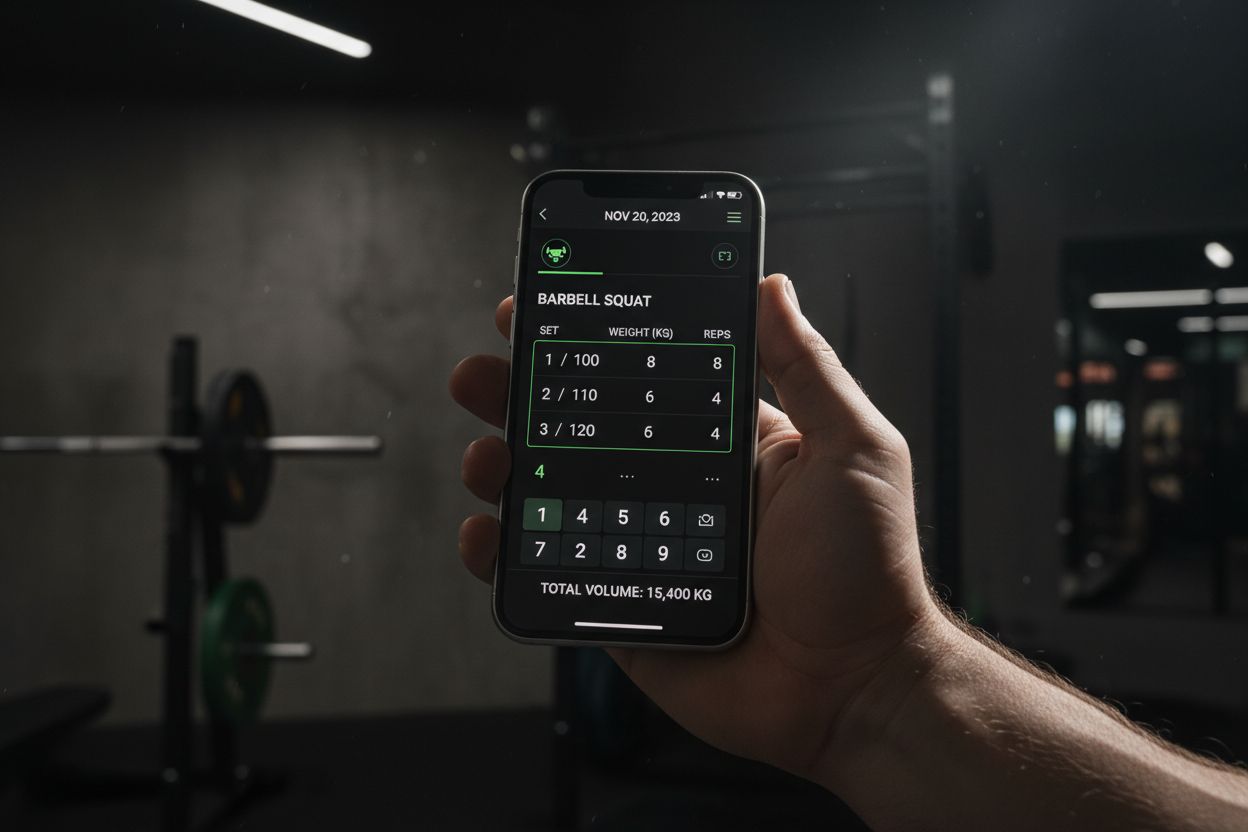
Strong balances a fast, intuitive logging experience with the right tracking features for lifters. Its interface prioritizes the actions you do every session: add or adjust sets, track PRs, and view recent history.
Key features
Rapid set and rep entry with weight and notes
Personal record (PR) tracking
Simple program builder and templates
Clean, readable progress graphs
Pros
Extremely quick to use during a workout
Clear progression and PR highlights
Good foundation of free features for most lifters
Cons
Some deeper analytics and cloud backup features require a subscription
Fewer community or coaching features in free tier
Best for
Lifters who want a fast, no-friction logging tool focused on strength progression.
Pricing
Strong has a functional free tier; check the app store listing for current premium features and pricing.
If you prefer a lightweight gym log with a no-nonsense approach, also see Setgraph - Workout Tracker Gym Log App.
Best free app for community-driven routines: Hevy
Hevy gives an easy-to-use routine builder and a social feed where users share workouts and PRs. The onboarding makes building a program approachable.
Key features
Build and save custom routines
Exercise library with images
Community feed for motivation
Pros
Friendly for beginners and hobby lifters
Good balance between logging and social features
Cons
Ads or limitations may appear in free tier; premium adds advanced stats and cloud sync
Best for
Lifters who enjoy social motivation and shared templates.
Best free app for customizable templates: Jefit
Jefit stands out for its comprehensive exercise database and prebuilt templates for many training styles. The web interface is useful if you like planning workouts on a desktop and logging on mobile.
Key features
Extensive exercise library and recordable templates
Desktop web access and syncing
Progress reports and charts
Pros
Excellent for program designers who want many templates
Desktop planning is a plus
Cons
Ads and paywalls for some programs and advanced reports
Interface can feel cluttered for casual users
Best for
Users who plan programs on desktop and need a deep exercise library.
Best lightweight Android option: FitNotes
FitNotes is a simple, fast, and reliable Android-only gym log. It focuses on the essentials and works offline.
Key features
Fast logging interface optimized for free-weight workouts
CSV export and backups
Offline-first design
Pros
Free and minimal; great battery life
Useful data portability with CSV
Cons
Android only, not as polished visually
No built-in social features
Best for
Android users who want a fast, privacy-friendly, offline-capable tracker.
Best guided-program option: StrongLifts 5x5
If you want a single, proven strength program with built-in guidance, StrongLifts 5x5 gives a frictionless experience for beginners to intermediates.
Key features
Guided 5x5 progression with auto-adjusting loads
Simple logging and timers
Pros
Excellent for beginners who want step-by-step progression
Minimal decision-making required
Cons
Limited to the 5x5 program; not ideal if you follow other splits
Best for
Beginners focused on linear strength progression.
Best free option for home and guided workouts: Nike Training Club
Nike Training Club focuses on guided workouts, mobility, and bodyweight programming. It is not a heavy set-by-set weightlifting tracker but is valuable for structured sessions and variety.
Key features
Hundreds of guided workouts and full plans
Good production value for instruction
Pros
High-quality guided sessions for free
Wide selection for cardio, mobility, and conditioning
Cons
Not ideal if you need detailed weightlifting set tracking
Best for
People who want guided sessions and structure without the need to log every set of a barbell program.
Free vs. premium: what you typically lose without paying
Most apps make logging and basic history free. Common premium-only features to watch for:
Advanced analytics and graph types
Cloud backup and multi-device sync
Deep exercise video libraries and coached programs
Auto program generation and AI features
If data export matters, choose an app that supports CSV export or clear backup options. FitNotes and some entries in Jefit offer straightforward export paths.
Important gaps most app roundups skip (and why they matter)
Data portability: If you want to switch apps, check whether the app exports CSV/JSON or provides an account export. Losing years of history is demotivating.
Offline functionality: Gyms with poor signal need an app that logs locally and syncs later.
Privacy: Look at app privacy policies for what they share. If you care about your data, prefer apps that pledge minimal sharing or let you opt out.
Wearables support: If you plan to log via Apple Watch or Wear OS, read how complete the wearable experience is. Some apps only offer limited wearable features.
For practical training principles and how to use logs to improve results, see this guide: Core Principles & Techniques for Every Lifter - Setgraph.
How to choose the right app for your training style
If you primarily lift heavy and track progressive overload: choose a strength-focused log like Strong or FitNotes.
If you value guided workouts and variety: Nike Training Club or Hevy gives structure and instruction.
If you plan programs on a computer: Jefit’s web tools are helpful.
If you want something dead-simple and offline: FitNotes is the most lightweight option.
Consider the following checklist when testing an app for one week:
Can I start a workout and record all sets in under 30 seconds per exercise?
Does the app show meaningful trends (volume, PRs) that I can act on?
Is there a straightforward export or backup option?
Does the app behave offline and not drain battery excessively?
You can also read real user perspectives and ratings collected for context at Setgraph App Reviews (2025): User Ratings for Tracking Sets, Reps & Workouts.
Migrating from pen and paper or another app
Export what you can. Look for CSV or simple text export in your current app.
Import into the new app if it supports import, or keep a CSV archive for reference.
Start fresh for the next training block: import messy old logs for reference only and use the new tracker going forward.
A simple migration approach reduces friction: export your one-rep max and recent 4-week progress, then create a template in the new app reflecting those loads.
Common workout-tracking mistakes and how to fix them
Logging inconsistently: Set an easy habit, like logging immediately after each set.
Overcomplicating entries: Keep notes short. Use tags or program names instead of long descriptions.
Ignoring volume: Track sets x reps x weight to monitor weekly volume, not just PRs.
Treating the app as a to-do list: Use the log to review trends at the end of each week and plan adjustments.
If you want practical workout templates and tips compatible with most trackers, see Setgraph Training Guide | Maximize Your Workout.
Privacy, backups, and battery considerations
Backups: Prefer apps that explicitly state how they back up data. If cloud sync is paid, make periodic local exports.
Privacy: Read the app’s privacy policy to learn what usage data is collected and whether data is sold to third parties.
Battery: Apps that keep GPS or continuous heart rate active will use more battery. For pure gym logging, choose apps that require minimal sensors.
FAQs
Q: Which free app is best for serious powerlifters?
A: Strong and FitNotes are strong choices because they focus on detailed set and PR tracking. For powerlifting-specific programs you may supplement with manual templates.
Q: Can I switch apps without losing data?
A: It depends. Some apps provide CSV exports. If your current app does not export, create a manual summary (PRs, recent 8 weeks of workouts) before switching.
Q: Are free apps accurate enough for progress tracking?
A: Yes. Most free trackers record the essentials: sets, reps, weight, and timestamps. Accuracy comes from consistent use more than app bells and whistles.
Q: Do any of these apps work fully offline?
A: FitNotes is designed to be offline-first. Many others allow offline logging and sync later, but verify per app.
Final verdict
The best free workout tracking apps remove friction so you log every session and review progress. If you want a fast, lifter-focused tool try Strong or FitNotes. If you prefer guided workouts and variety, Nike Training Club or Hevy will fit better. Jefit suits users who plan on desktop and need a deep exercise library.
Ultimately, pick the app that you can use consistently. Start with one app for 30 days, evaluate whether it helps you improve week-to-week, and switch only if the limitations meaningfully block your progress.
For ongoing tips and articles on improving workouts and using tracking effectively, visit Fitness & Workout Tips | Setgraph and explore practical training advice at Setgraph App: Insights, Tips & Training Guides.
If you want to compare app features or check new updates, keep an eye on developer changelogs and official review pages at Setgraph News | Discover New Features & Updates.
Happy lifting — and remember that a consistent log tracked in the right app beats an elaborate plan left unused.
Article created using Lovarank


