Setgraph AI Workout Planner: Features, Example and Limitations

Is Setgraph AI a Fit for Your Planning Workflow?
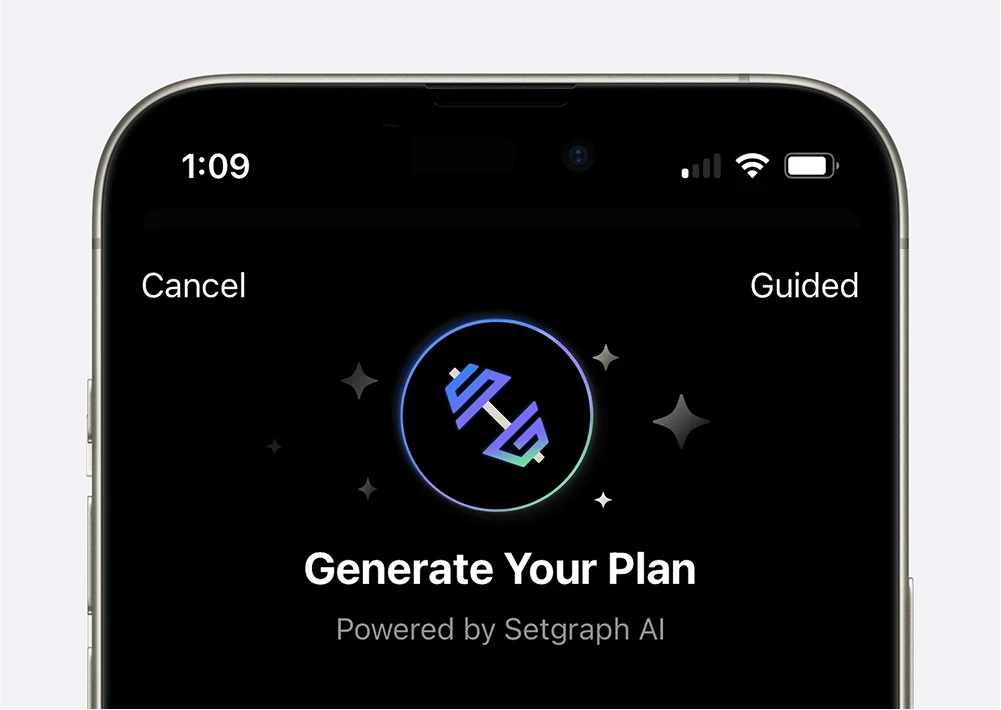
Setgraph AI can draft workouts from your preferences and save them alongside your log. This Setgraph-published walkthrough explains the iOS planning flow and uses an illustrative five-day split to show what to review before saving a plan. It does not rank apps or report training-test results.
How To Create Your Custom Plan
Starting out with Setgraph AI to create your plan is the easy part. There’s a simple multi-step process to create your plan:
1. Set Your Goal
Setgraph AI prompts you to set your goal with two options:
• Physique: specify the muscle groups and goals you want the request to emphasize.
• Performance: describe a sport, activity or strength objective so it can be included in the request.
2. Simple Customization
Once you select a goal:
• For physique goals, current iOS choices include Grow and Strengthen; older screens used Define.
• Set your training level and review the other inputs available for your selected goal.
3. Advanced Customization
This is where you tailor your plan:
• Choose your weekly schedule
• Select available equipment and exercises to include or exclude
• Add optional age, sex and additional preferences if relevant to your request
Generate a draft, then read its schedule, exercises and notes before saving. Check that it fits your equipment and current ability, and clarify missing set, rep or rest guidance. The iOS save flow creates workout lists with exercises and notes; it does not certify that the programming is appropriate or automatically increase your weights after logging.
Illustrative Five-Day Plan: What to Review
The following editorial example uses full-gym equipment and five training sessions. It shows how to review a plan rather than prescribing one for a beginner or a particular individual. Each day lists four exercises at three working sets each: 12 sets per session and 60 per week. Warm-ups are separate, and completion time depends on rest, setup and pace.
For the displayed Monday–Friday schedule, Saturday and Sunday are rest days. Five consecutive training days may not suit your recovery or commitments. Move or reduce sessions if needed, and consider the overlapping shoulder, pressing and back work before using the final full-body day.
Monday: Chest and Triceps
Barbell Bench Press: 3 sets of 8-10 reps
Incline Dumbbell Press: 3 sets of 8-10 reps
Tricep Dips: 3 sets of 8-10 reps
Cable Tricep Pushdowns: 3 sets of 10-12 reps
Tuesday: Back and Biceps
Pull-Ups: 3 sets of 6-8 reps
Bent-Over Rows: 3 sets of 8-10 reps
Lat Pulldowns: 3 sets of 10-12 reps
Barbell Curls: 3 sets of 10-12 reps
Wednesday: Lower Body
Barbell Squats: 3 sets of 8-10 reps
Leg Press: 3 sets of 10-12 reps
Calf Raises: 3 sets of 12-15 reps
Lunges: 3 sets of 10 reps per leg
Thursday: Shoulders and Abs
Barbell Overhead Press: 3 sets of 8-10 reps
Dumbbell Lateral Raises: 3 sets of 10-12 reps
Face Pulls: 3 sets of 12-15 reps
Hanging Leg Raises: 3 sets of 10-12 reps
Friday: Full Body
Deadlifts: 3 sets of 6-8 reps
Dumbbell Bench Press: 3 sets of 8-10 reps
Seated Cable Row: 3 sets of 10-12 reps
Plank Rows: 3 sets of 10 reps per side
What the Example Shows
Useful structure: named days and familiar exercises make the proposal reviewable. They do not prove suitability for a new lifter.
Workload needs context: 60 weekly sets are not automatically “low volume.” Muscle-specific work, training experience and effort matter. Do not add exercises merely to fill an hour.
Overlapping days need review: shoulder work before a full-body pressing day may affect performance. Adjust the order or add rest if needed.
Progression remains a decision: keep a log of completed reps and loads, and apply the rule chosen for your program rather than expecting the generator to adapt itself after every session.
From a Plan to a Log
Review and save the draft as workouts with exercises and notes. Keep the intended sets and rep ranges in the relevant notes.
Open the same exercise each time you train it and enter the actual completed reps and load, with units.
For example, a 3 × 8–10 bench-press target might produce 10, 9 and 8 reps at one load. Record those three sets rather than marking the whole target as completed.
At the next session, compare the actual sets and relevant context before deciding whether to repeat, progress or reduce the target.
Setgraph’s value here is bringing the proposed workout and the record of completed sets into the same app. That is a workflow benefit, not evidence that it is the best generator or a substitute for coaching.
Frequently Asked Questions
Is Setgraph a free workout generator?
Do not assume AI generation is included just because the app is free to download. Check the generator’s access screen for your account and platform. Guided and Custom are input modes, not free and premium tiers.
What equipment does the AI workout generator support?
You can choose standard gym equipment, bodyweight, or describe a custom setup. Review the proposed exercises against the equipment you actually have and replace mismatches before training.
How does Setgraph compare to ChatGPT workout generators?
ChatGPT can help you draft and revise a routine through conversation. Setgraph offers Guided and Custom planning inputs, a save-to-workouts flow and set logging in the same app. Choose based on how you want to plan and record your training. For the workflow described here, add a ChatGPT draft to Setgraph manually.
Can an AI Planner Replace a Coach?
An AI draft does not observe your technique, evaluate an injury or provide ongoing individual supervision. Beginners may need help learning exercises and selecting an appropriate starting workload. Seek qualified guidance when those needs are important.
For the next step, see how to record and repeat completed sets in Setgraph.