10 Best Free Apps for Tracking Workouts in 2026

Tracking your workouts doesn't have to be expensive to be effective. The right free app can log sets, record runs with GPS, guide bodyweight sessions, and give you clear progress charts without a subscription. Below you'll find hands-on recommendations, a clear comparison of free vs paid features, and practical guidance for choosing a tracker that fits your sport, equipment, and experience level.
Top Picks at a Glance

Best overall free app: Hevy — excellent strength-logging and progress tools
Best for strength training: Strong — minimal interface for fast logging
Best exercise database: JEFIT — large library and routine builder
Best for running and cycling: Strava — GPS, segments, and social features
Best guided workouts: Nike Training Club — free, trainer-led programs
Best free classes: FitOn — high-quality video classes with no paywall
Best nutrition + exercise pairing: MyFitnessPal — integrates food and workouts
Best wearable integration: Google Fit — broad platform connections
Best for Samsung users: Samsung Health — device-optimized tracking
Best run tracker alternative: Adidas Running — solid GPS tracking and tools
TL;DR: Quick Picks by Use Case
Best free for beginners: Nike Training Club or FitOn for guided workouts
Best free for gym lifters: Hevy or Strong for fast set/rep/weight tracking
Best free for runners/cyclists: Strava or Adidas Running for GPS and segments
Best free for cross-platform syncing: Google Fit to consolidate data
Best free for building custom routines: JEFIT with templates and exports
How we tested these apps
We evaluated apps across ten practical criteria to reflect everyday use: ease of logging, exercise library quality, progress analytics, free vs paid feature split, platform support (iOS, Android, watch OS), battery impact during GPS sessions, data export options, integrations (Apple Health, Google Fit, MyFitnessPal), privacy settings, and learning curve for new users. Where possible we logged sample workouts (strength sessions and runs) to confirm logging flow and analyzed what features are blocked behind paywalls.
We also considered realistic combinations: for example, many lifters combine a dedicated strength log app with a GPS app like Strava for cardio. If you want a lightweight alternative or a simple gym log, see Setgraph for a straightforward option and setup guides at Setgraph - Workout Tracker Gym Log App.
Detailed Reviews — The 10 Best Free Apps for Tracking Workouts
Hevy — Best overall free option for strength-focused tracking
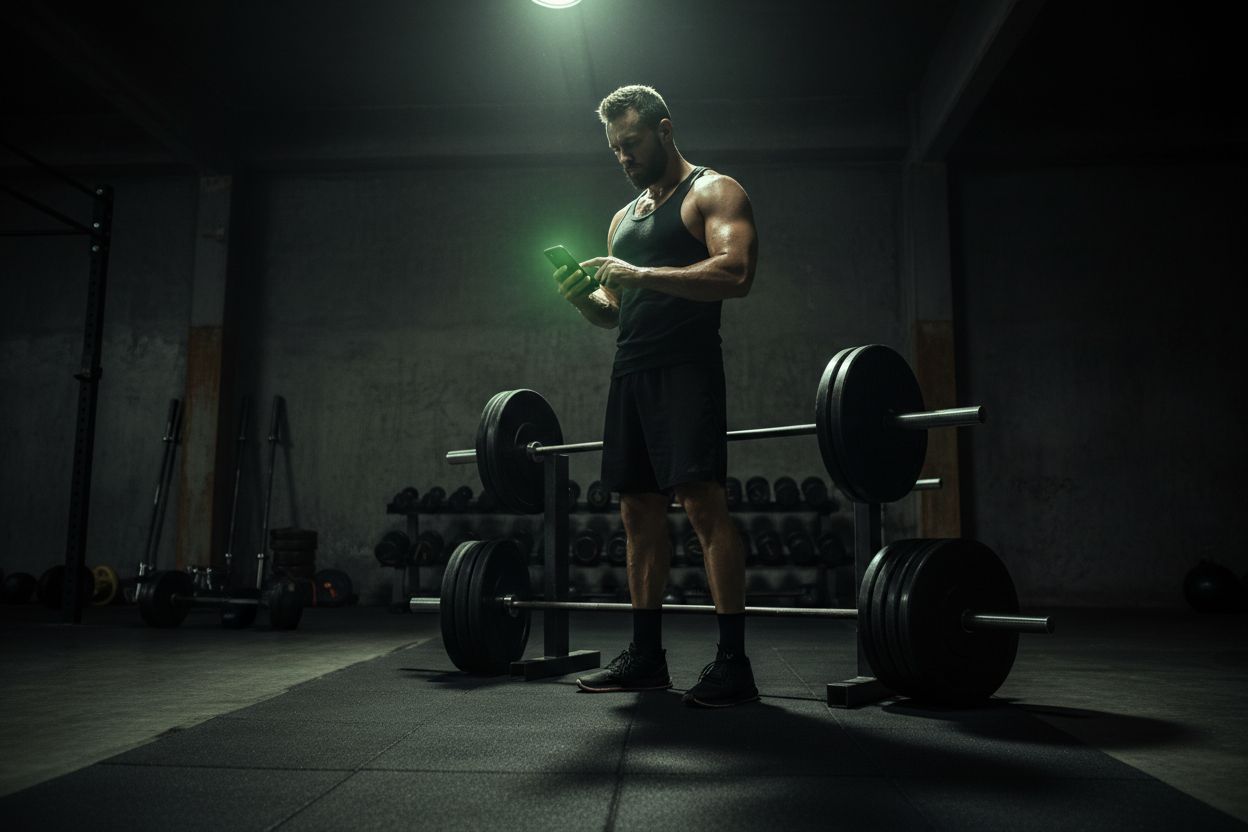
Best for: lifters who want structured logging, PR tracking, and an active community.
Key features
Clean workout log with sets, reps, and weight
Progress charts and PR tracking
Ability to create routines and templates
Social feed to follow other lifters
Free limits
Core logging and routines are free; advanced analytics and custom charts are typically paid features in premium tiers.
Pros
Fast entry flow for sets and supersets
Encourages progressive overload with visible PRs
Cons
Deeper analytics and plan libraries may require subscription
Platforms: iOS and Android. Integrations: basic syncs with health platforms vary by device.
Why consider it: Hevy strikes a strong balance between usability and depth for free users. Many gym-goers will find everything they need in the free tier and can combine Hevy with a GPS app for cardio tracking.
Strong — Best minimal, fast logging app for lifters
Best for: people who want one-tap, distraction-free logging mid-set.
Key features
Very simple, fast entry for sets and rest timers
Built-in plate calculator and warm-up suggestions
Basic progress charts
Free limits
The paid version adds advanced charting, cloud sync, and more templates.
Pros
Extremely simple interface; ideal when you want speed
Apple Watch support makes logging without a phone convenient
Cons
Less emphasis on social features or large exercise libraries
Platforms: iOS, Android. Strong is a top pick when the priority is quick logging rather than program discovery.
JEFIT — Best free app for exercise variety and program templates
Best for: users who want a huge exercise library and detailed routines.
Key features
Database of over 1,400 exercises with images and tips
Routine builder and workout plans
Export options for logs (CSV)
Free limits
Ads and some advanced analytics are behind a premium subscription.
Pros
Exceptional for customizing complex programs
Data export is useful for long-term tracking and backups
Cons
Interface can feel dated; more features hidden behind paywall
Platforms: iOS, Android, web. Useful for coaches or lifters who favor customization and exportability.
Strava — Best free app for running and cycling GPS tracking
Best for: runners and cyclists who want GPS tracking, segment leaderboards, and community.
Key features
GPS route tracking with pace, elevation, and split analysis
Social feed, segments, and challenges
Compatible with many wearables and bike computers
Free limits
Advanced analysis, route recommendations, and safety features often require subscription
Pros
Excellent social and competition features to stay motivated
Strong integration with third-party devices
Cons
GPS and continuous background tracking can consume battery
Platforms: iOS, Android, web. Pair Strava with a gym log app for comprehensive tracking.
Nike Training Club — Best free guided workouts and programs
Best for: beginners and at-home trainers who want structured, trainer-led sessions.
Key features
Large library of guided programs for strength, mobility, and cardio
Video demonstrations and progress plans
Trainer-curated routines for different fitness levels
Free limits
Most guided programs are available for free; some premium content has been selectively offered as part of promotions
Pros
High production-value video workouts
Excellent for learning movement and structured plans
Cons
Less focus on fine-grained gym logging (sets/reps/weights) compared with dedicated log apps
Platforms: iOS and Android. Great first stop for beginners building consistency.
FitOn — Best free app for live-style classes and community workouts
Best for: people who prefer class-style training and bodyweight sessions.
Key features
Free full-length classes led by trainers
Programs for HIIT, strength, yoga, and mobility
Social features and personalized plans
Free limits
Premium adds offline downloads and extra programs
Pros
TV-friendly video classes and variety
No paywall for most core classes
Cons
Not optimized for detailed weightlifting logs
Platforms: iOS, Android, web.
MyFitnessPal — Best free app for combining nutrition and workout tracking
Best for: users who want a single place to track food and workouts together.
Key features
Extremely large food database and calorie tracking
Manual workout logging and exercise calorie estimates
Integrates with many trackers and apps
Free limits
Advanced analysis, custom macros, and insights are paid features
Pros
Excellent nutrition tracking and many integrations
Helpful for people managing weight and training together
Cons
Exercise logging is typically calorie-focused rather than sets/reps oriented
Platforms: iOS, Android, web. Pair MyFitnessPal with a strength-specific app to capture sets and weights accurately.
Google Fit — Best for cross-platform wearable integration
Best for: users who want a lightweight hub to combine data from multiple devices and apps.
Key features
Consolidates steps, heart rate, and active minutes
Connects to many third-party apps and wearables
Simple goals and activity tracking
Free limits
Not designed for detailed exercise sets or complex routine building
Pros
Excellent compatibility and low-friction setup
Great for casual fitness tracking and wearables
Cons
Limited depth for serious lifting or program tracking
Platforms: Android, iOS. Use Google Fit as a central sync point if you use several specialized apps.
Samsung Health — Best for Samsung device users
Best for: people invested in Samsung hardware and looking for device-optimized tracking.
Key features
Activity and workout tracking, heart rate, sleep, and stress insights
Prebuilt programs and guided sessions
Works across Samsung watches and phones
Free limits
Certain premium integrations and third-party content may be limited
Pros
Tight integration with Samsung wearables and ecosystem
Covers broad health metrics beyond workouts
Cons
Best experience tied to Samsung devices
Platforms: Android (best on Samsung). If you own a Samsung watch, Samsung Health simplifies data flow.
Adidas Running (formerly Runtastic) — Best free alternative for GPS runs
Best for: runners looking for straightforward GPS tracking and training plans.
Key features
GPS run tracking with cadence and pace metrics
Training plans and goal-setting tools
Audio coaching during runs
Free limits
Premium adds advanced training plans and deeper analytics
Pros
Simple and reliable GPS tracking
Built-in coaching for newbie to intermediate runners
Cons
Advanced features are in the subscription tier
Platforms: iOS, Android. A solid Strava alternative with fewer social features.
Feature Comparison: What you get free vs paid
Logging (sets/reps/weights): Mostly free in Hevy, Strong, and JEFIT. Some advanced analytics require premium.
Guided workouts: Free via Nike Training Club and FitOn; premium unlocks extras.
GPS tracking: Basic GPS is free in Strava and Adidas Running; advanced routing and safety tools often require subscription.
Data export: JEFIT offers CSV export in free/premium flavors; others vary.
Integrations: Google Fit, Apple Health, and MyFitnessPal are common integration points across apps.
If you want a combined approach, a common pattern is Hevy or Strong for gym logs and Strava or Adidas Running for outdoor cardio. For nutrition linking, add MyFitnessPal. For a minimalist single-app hub, Google Fit or Samsung Health can consolidate multiple sources.
How to choose the best free app for tracking workouts
Define your primary goal: strength, endurance, weight loss, or general activity. Choose a strength log for lifting and a GPS app for running.
Prioritize logging speed: lifters value quick set input; runners want reliable GPS and battery efficiency.
Check integrations: if you already use Apple Health, Google Fit, or a nutrition app, make sure your chosen tracker syncs with it.
Test the free tier for a couple of weeks: confirm that the features you rely on aren’t paywalled.
Consider data export and privacy: if you want ownership of your logs, pick an app with export options.
For practical tips on structuring programs and getting the most from your logs, see the Setgraph training resources and guides such as Setgraph Training Guide | Maximize Your Workout and broader tips at Fitness & Workout Tips | Setgraph.
Privacy, data export, and integrations to check
Privacy: Look for clear policies on how workout and location data are used and shared. GPS apps often collect route data that can be sensitive.
Export: If long-term tracking matters, pick apps that let you export CSV or PDF logs.
Integrations: Confirm compatibility with Apple Health, Google Fit, wearables, and nutrition trackers like MyFitnessPal.
For a user-focused review of community feedback and user ratings, see Setgraph App Reviews (2025): User Ratings for Tracking Sets, Reps & Workouts.
Common user scenarios and recommended app pairings
Beginner at home with no equipment: Nike Training Club or FitOn for free guided programs.
Gym lifter focused on strength: Hevy or Strong for fast logging plus JEFIT for program templates.
Runner building mileage: Strava or Adidas Running for GPS, and Google Fit for cross-app sync.
Tracking both food and workouts: MyFitnessPal paired with a strength logging app for sets and reps.
Frequently Asked Questions
Q: Which free app is best for beginners?
A: Nike Training Club and FitOn provide trainer-led sessions and structured plans with minimal setup. They help build habit and teach movements before you move to detailed lifting logs.
Q: Can I export my workout data?
A: Some apps like JEFIT offer export to CSV. Others limit exports to premium tiers or provide only summaries. If export is essential, check the settings and test the export before committing to an app.
Q: Are these apps safe to use with wearables?
A: Yes. Google Fit, Strava, and many others support wearables. Verify the specific device compatibility (Apple Watch, Wear OS, Samsung Galaxy Watch) in the app store listing.
Q: Will GPS tracking drain my battery?
A: Continuous GPS use does increase battery usage. To minimize drain, use power-saving GPS modes where available, or export runs after the workout and close background GPS usage.
Q: What if I want both detailed lifting logs and running GPS?
A: Use a combination: a dedicated gym log (Hevy or Strong) plus a GPS app (Strava or Adidas Running). Consolidate metrics in Google Fit if you want everything in one place.
Conclusion
The best free apps for tracking workouts depend on what you prioritize: simple, fast logging for the gym, guided workouts for beginners, or GPS and social features for runners. Hevy and Strong lead for strength logging, JEFIT stands out for exercise variety, Strava dominates GPS-driven activities, and Nike Training Club and FitOn excel at guided workouts. Combine apps where necessary and test free tiers for a couple of weeks to ensure key features are accessible.
If you want a straightforward, minimalist gym log or additional guidance on building programs, check Setgraph for simple tracking tools and practical guides at Setgraph - Workout Tracker Gym Log App. For ongoing tips, news, and updates, explore Setgraph News | Discover New Features & Updates and their full article collection at Setgraph App: Insights, Tips & Training Guides.
Which app you choose should support your immediate goals and be easy enough to use that logging becomes a habit. Start simple, track consistently, and evolve your setup as your training needs change.
Article created using Lovarank


