Crea tu propio plan de entrenamiento con la IA de Setgraph

Setgraph can create a strength-training plan from your goals, schedule and available equipment, then save it with your workouts for logging. Treat the generated plan as a draft to review before training. This walkthrough uses earlier iOS screenshots; labels and access can differ by version and account.
Why Your Planning Inputs Matter
A plan is easier to use when it fits the days you can train, the equipment you have and the goal you want to prioritize. Supplying those details helps the generator propose a relevant starting routine; it does not verify that the routine is suitable for you.
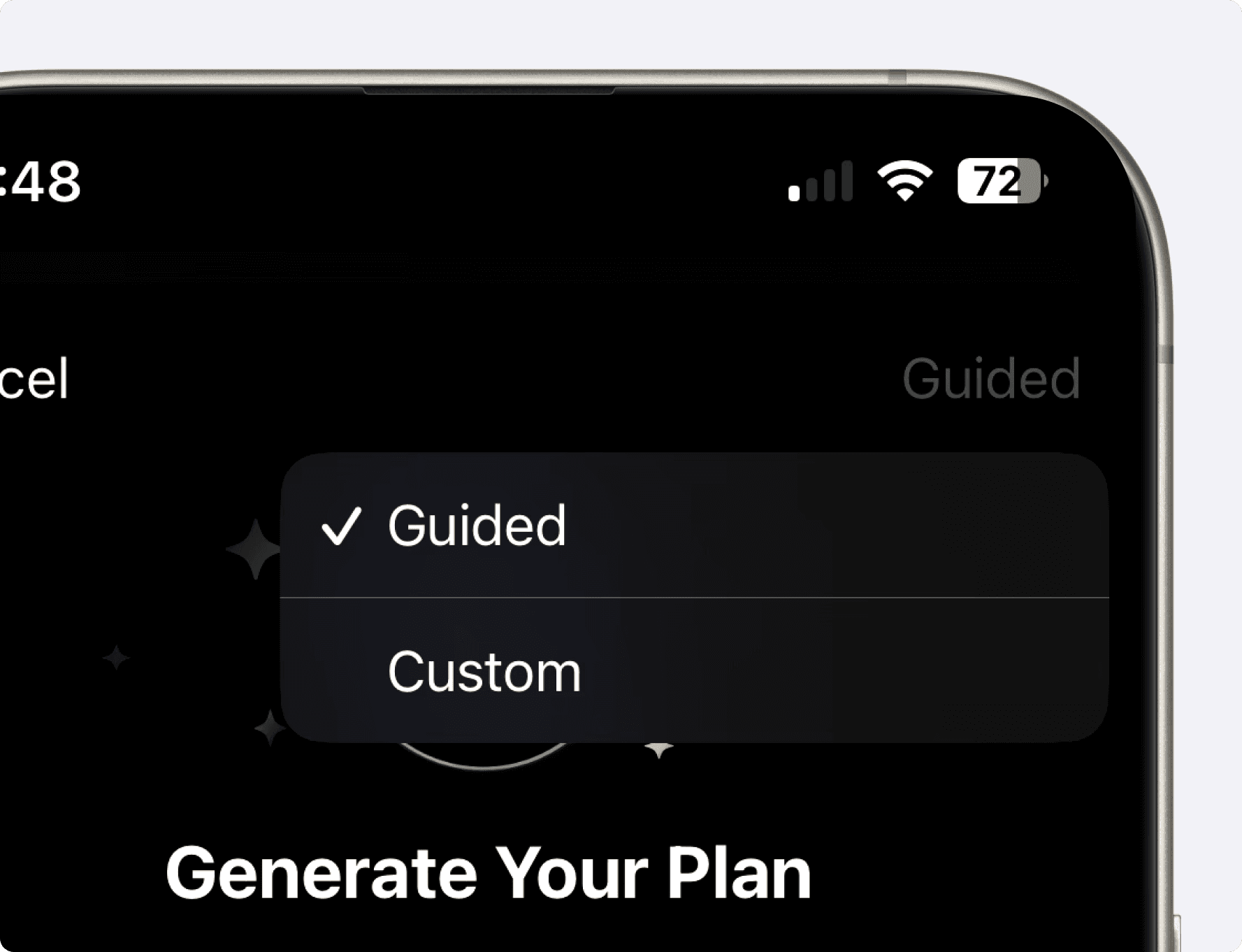
Two Ways to Create Your Plan
Choose Guided for step-by-step questions, or Custom to write the brief yourself. Both approaches let you describe the routine you need.
Guided Plan Creation
Choose Guided to answer the planning questions step by step. Use the prompts to make your schedule, equipment and preferences explicit.
Quick Custom Plan
Choose Custom to describe your goal, schedule, equipment and preferences in a text box. Include the same practical details you would give in the guided flow.
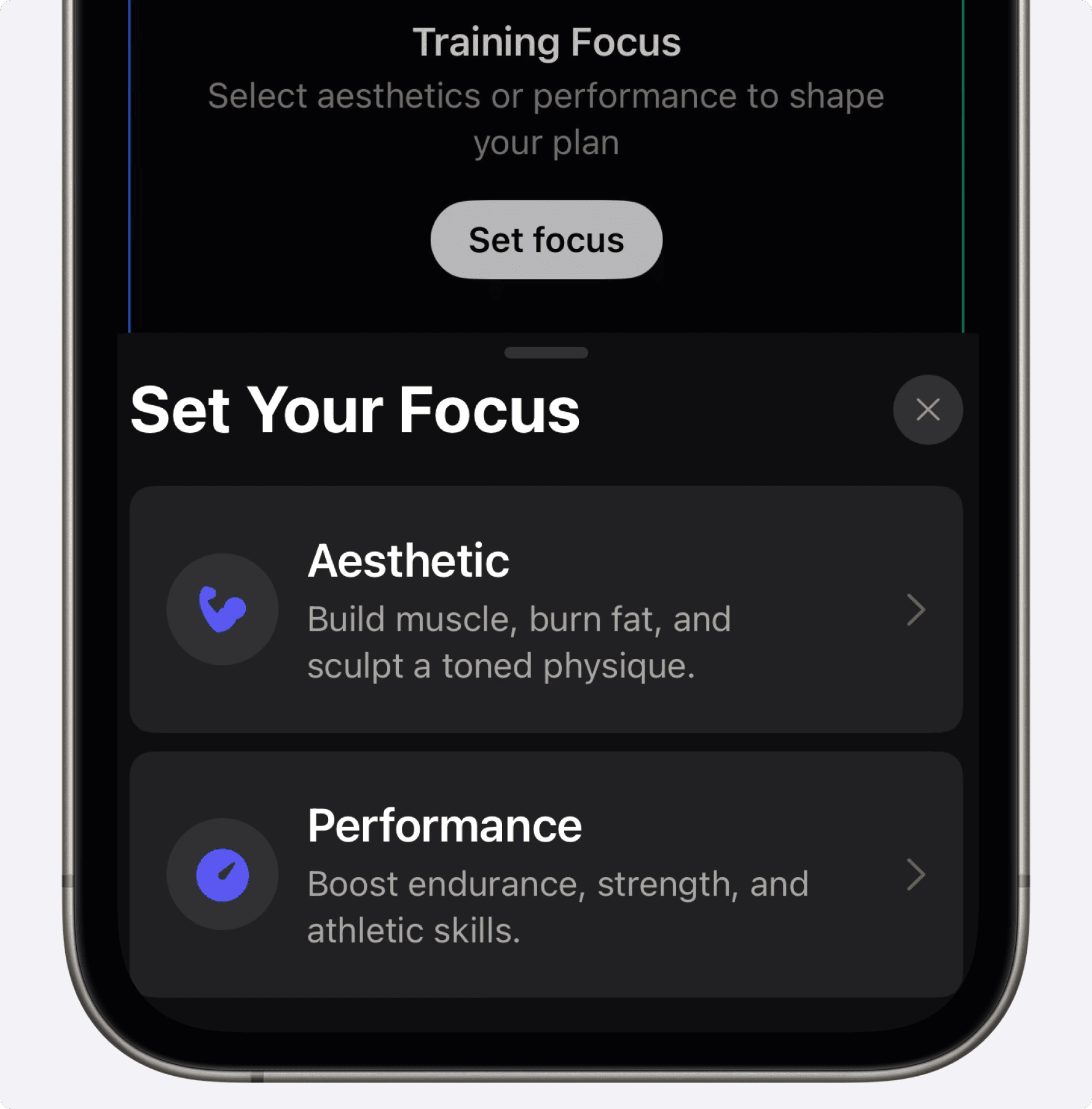
Choose Your Focus: Aesthetics versus Performance
Aesthetics: Choose Body Areas to Emphasize
Body areas: choose the areas you want to emphasize. Earlier screenshots use Define; iOS 26.6.1 renamed that goal Strengthen, while Grow remains a separate choice. These labels are not a promise of spot fat loss.
Experience level: describe your current training background.
Schedule: select your available days and intended session length.
Equipment: choose gym equipment, bodyweight or describe a custom setup.
Includes / Excludes: name preferred exercises and movements to omit.
Additional details: add relevant constraints, such as a limited dumbbell range or another sport you train.
Performance: State Your Sport and Objective
Select the relevant sport or activity from the options available in your app.
State the objective, such as improving strength to support climbing.
Add your experience, schedule, equipment, exercise preferences and other training commitments.
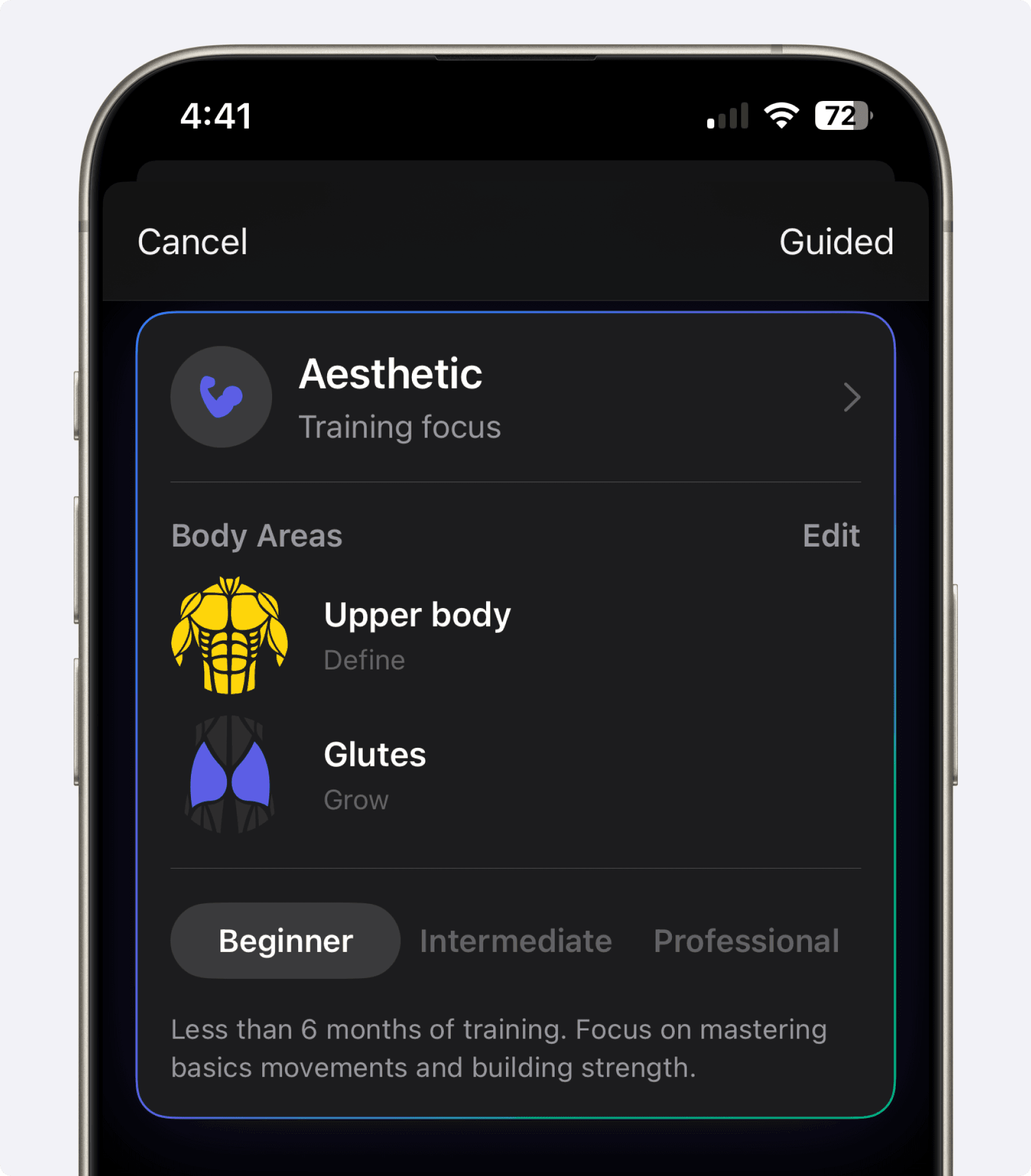
Step-by-Step Walk-Through
1. Experience Level
Select the experience level that best describes your current training. Review the proposed workload and choose manageable starting loads.
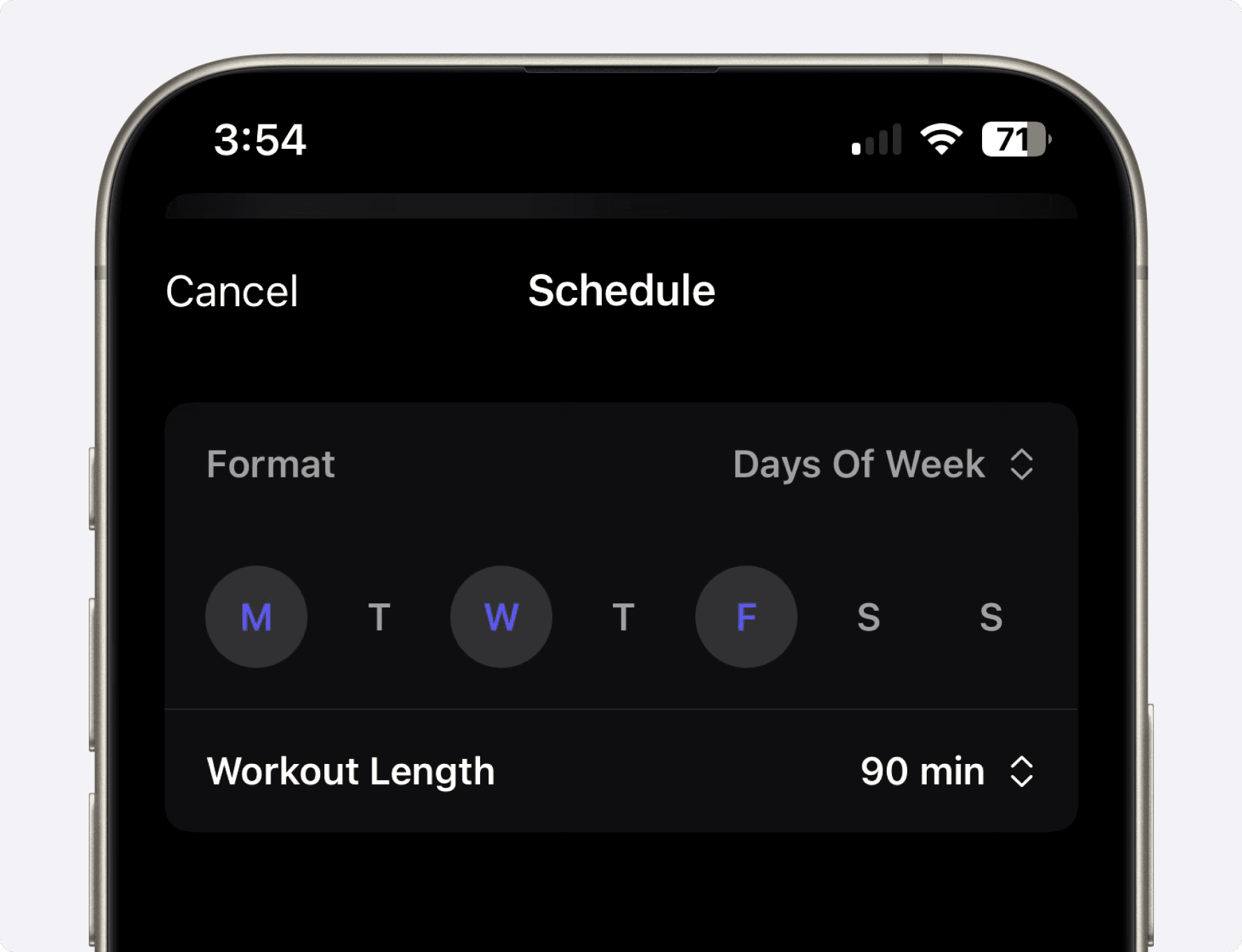
2. Schedule & Session Length
Select the days you can train and your intended session length. In the preview, check that the exercises, rest and setup time can realistically fit that window.
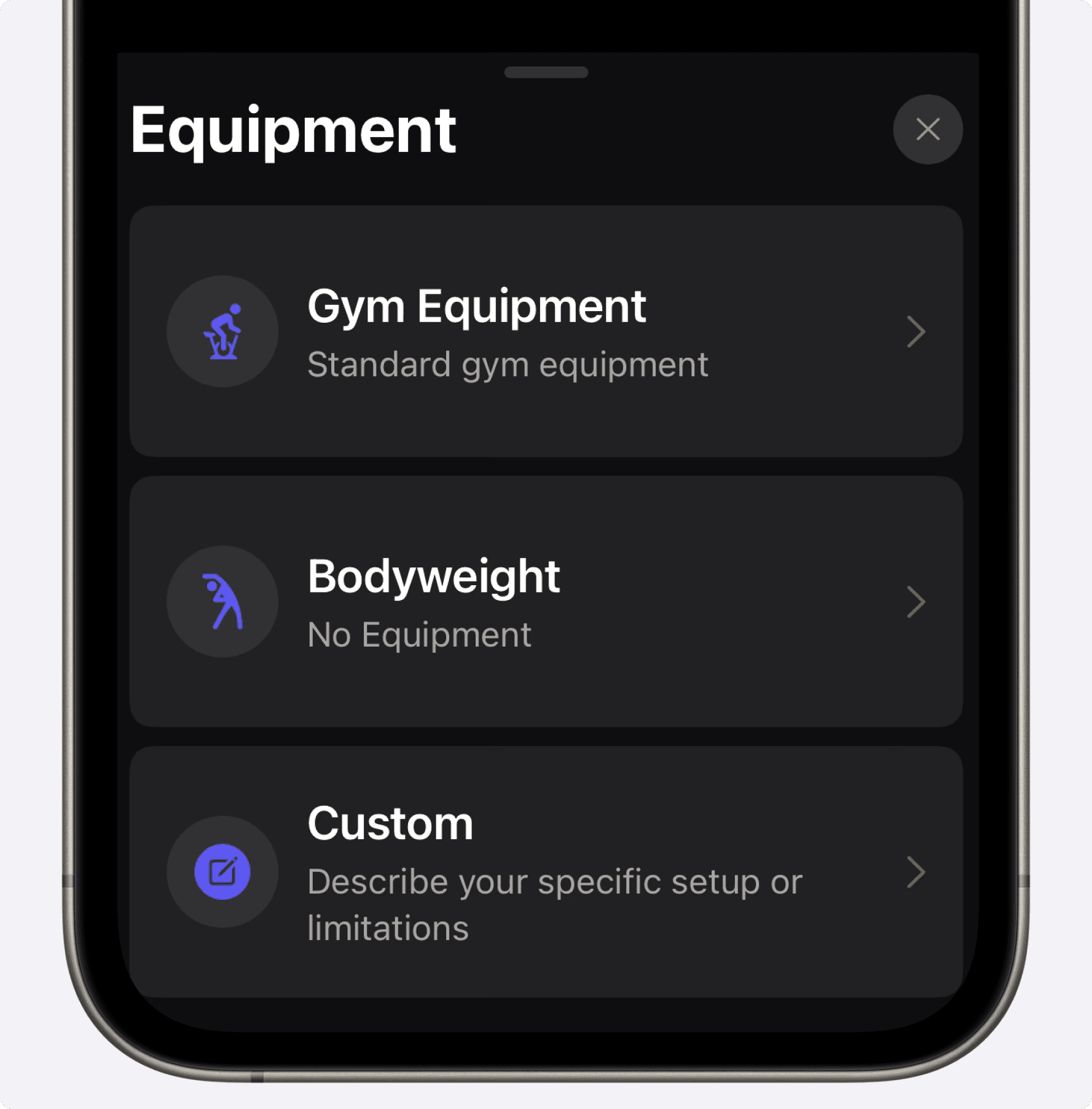
3. Equipment Options
Select the equipment you have access to:
Gym equipment
Bodyweight exercises
Custom: specify unique equipment or setups.
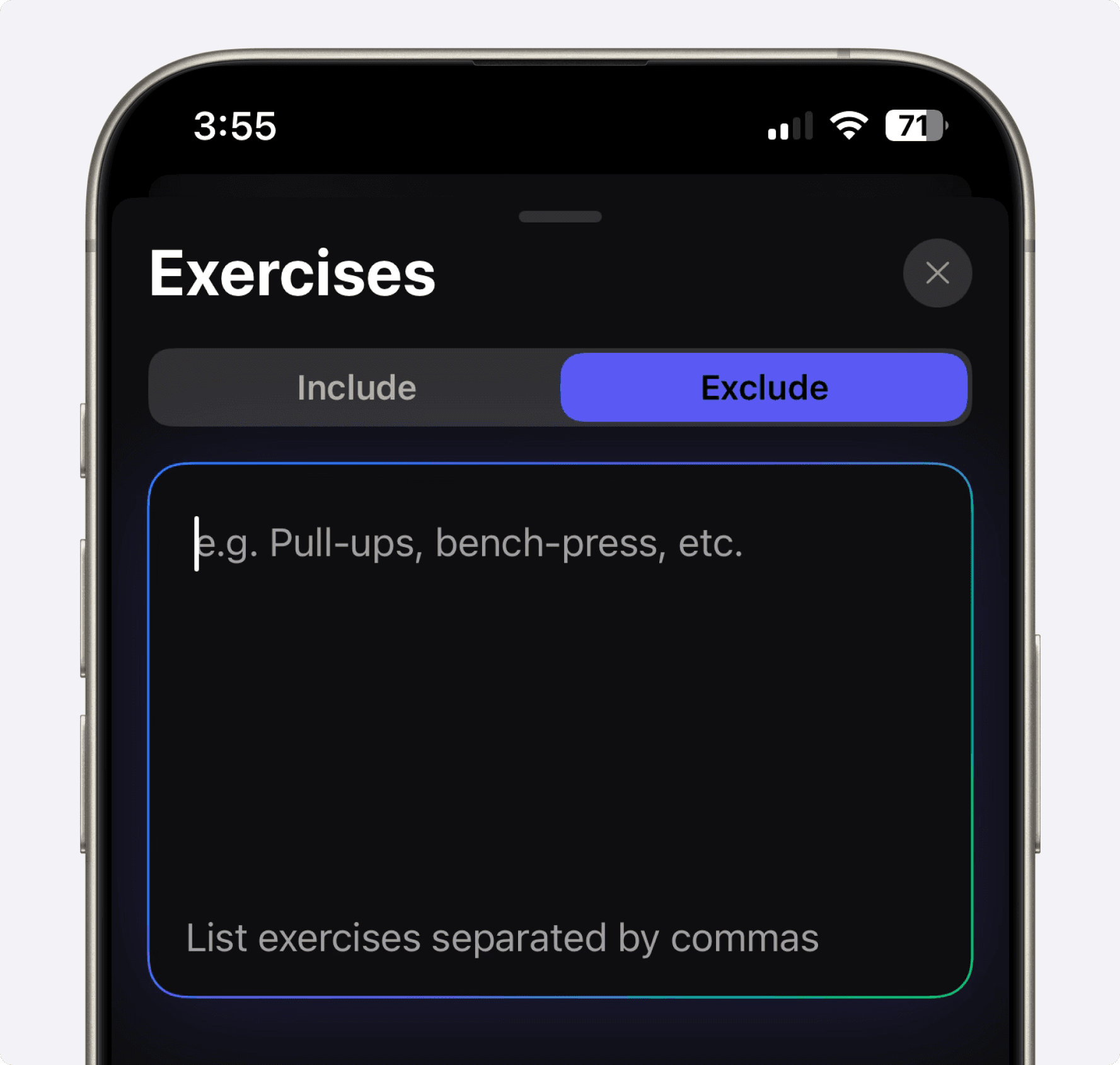
4. Include / Exclude Exercises
Use Include and Exclude to describe exercise preferences. If an injury or medical restriction affects training, get suitable modifications from a qualified professional and check that the generated plan follows them. An exclusion field is not rehabilitation advice.
5. Additional Details Box
Add details that change the training task, such as your available weights, other weekly sport sessions or exercises you already know. Avoid adding unrelated personal information.
Once you’ve provided all the necessary information, tap the Generate Plan button.
What Happens After You Tap “Generate Plan”
Review: Check the workouts, exercise choices and instructions in the preview. Resolve missing or unsuitable details before training.
Save: Add the plan to your workout lists using the option shown in your app.
Log: Record the sets you actually complete, including reps, load and useful notes.
Saving a plan gives you a reusable exercise list and notes. For example, write a dumbbell-row target in the exercise notes, then record each completed set’s load and reps. Before the next comparable session, use that history and your progression rule to decide whether to repeat or adjust the target.
Common Questions
How do I create a workout plan in the Setgraph app?
Open the plan-creation option available in your app, choose Guided or Custom, provide your training details and generate a draft. Review it before saving it to your workouts. Interface labels can differ from the earlier screenshots above.
Is the Setgraph AI workout generator free?
Check the generation access and membership terms shown in your app. A free download does not guarantee unlimited free generation or logging, and trial availability depends on the offer shown to you.
Can beginners use the workout routine generator?
Beginner is an available experience input. Review the proposed movements and workload, start with manageable loads and get coaching help when you need instruction. An AI plan does not assess your technique or guarantee safe progression.
How do I request a muscle-building plan?
Specify muscle growth as your goal, the body areas you want to emphasize, your available days and equipment. Check the resulting exercise selection and weekly workload rather than assuming one rep range suits every exercise.
How can athletes use the performance flow?
State your sport, objective and existing practice schedule. Review the draft alongside your sport program or with your coach, including how strength sessions fit around practices and competition.
Can I track the workouts after saving a plan?
Yes. Save the reviewed workouts, record completed reps and loads, and compare exercise history. Use notes for effort estimates, technique cues and targets for the next session.
How can I request a home-training plan?
Choose Bodyweight or describe your equipment under Custom. List exact limitations, such as no bench or no pull-up bar, then check every exercise in the preview.
What is the difference between a workout builder and a tracker?
A builder proposes what to do. A tracker records what you actually did. Setgraph connects a saved plan with its workout lists, but the log still needs your entries and judgment.
Give the Generator a Specific Brief
Example prompt: “Create a three-day strength-training draft for Monday, Wednesday and Friday. I am a beginner with adjustable dumbbells from 5 to 20 kg and no bench. Keep the proposed sessions around 40 minutes including rest. List exercises, sets, rep targets and a simple progression rule for me to review.”
This is an example brief to adapt. Check the returned exercise and workout notes for the requested details before saving.
See how Setgraph's engine stacks up in our Setgraph AI review.
Prefer to build it yourself? Use our workout routine generator guide.
Review the Draft Before Your First Session
Check the number of sessions, available equipment, exercise instructions and total time. If a movement is unfamiliar, learn it before loading it. If the plan conflicts with a restriction or leaves an important detail unclear, revise it or ask a qualified professional.
Get more from Setgraph’s generator with these tips:
Choose a weekly structure you can sustain; compare it with the Push/Pull/Legs guide if that split interests you.
Match the goal to the program; see strength versus hypertrophy.
Write down the progression rule you will use, then compare logged sets before changing loads; see progressive overload.
Use the log to review performance over time. If your schedule or equipment changes, edit your routine or create and review a new draft.
