Save Additional Exercise Details With Setgraph Notes
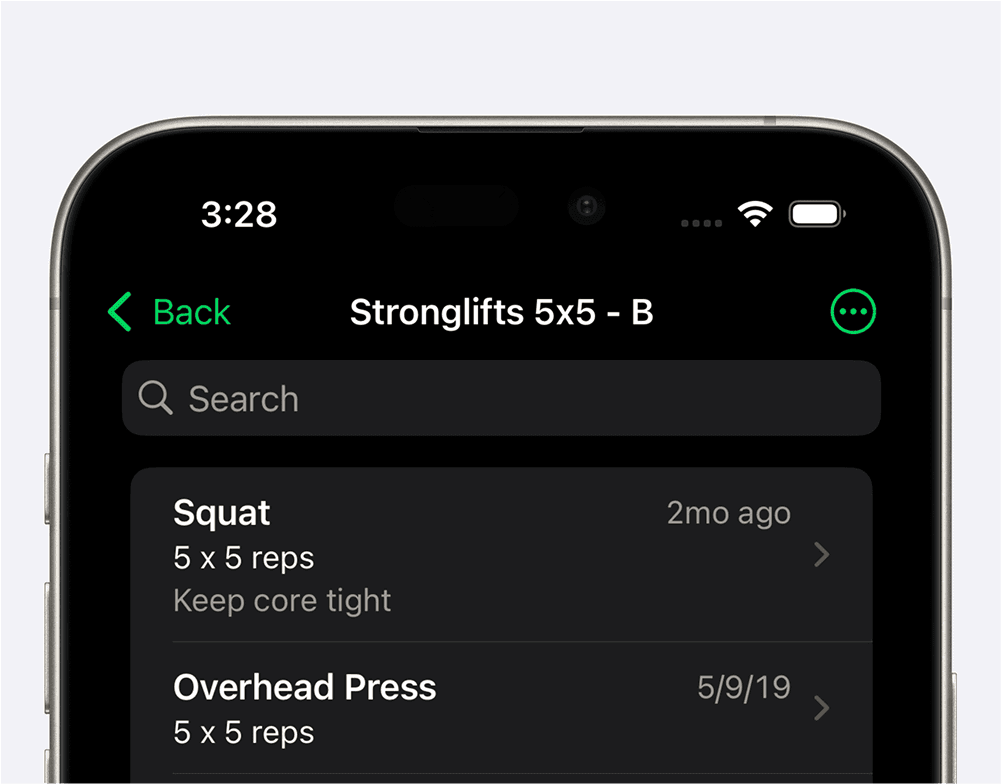
Use notes to preserve the details that load and reps do not capture: equipment settings, technique reminders, or instructions for one workout.
Setgraph’s iOS workflow distinguishes a general Exercise Note from notes scoped to a workout list. The older screenshots below use “List Notes”; newer interfaces may use “Workout.” The current workout-notes screen can contain both a whole-workout description and per-exercise notes that appear only in that workout.
What Are Exercise Notes?

In the iOS screenshot, open the exercise menu and choose “Add Exercise Note.” Labels can vary by version. Save the note after entering it.
An Exercise Note belongs to the exercise itself and is useful for details you want to carry across the workouts that use that same exercise, such as:
Proper form cues (e.g., “Keep core tight during squats”)
An equipment or technique cue you have already established (for example, “Use the same neutral-grip handle”)
Equipment settings (e.g., “Set cable machine to level 4”)
A reminder to discuss a recurring issue with your coach or clinician. A note is not a diagnosis or clearance to train through pain.
For example, “Seat 4, neutral handle” belongs on the exercise if it applies wherever you use it. A different prescription for Monday and Friday belongs in each workout’s exercise-specific note instead.
What are workout or List Notes?

Open the workout/list menu and choose the notes option. The older screenshot shows one note per exercise in that list. In the current iOS workout-notes view, you can also add a whole-workout description. Tap Save when finished.
This screen has two scopes: notes for an individual exercise in that workout, and a description for the whole workout. Neither is automatically a dated session diary. Keep reusable instructions separate from completed-set results. Examples include:
Monday Bench Press: “3 × 8–10”
Friday Bench Press: “3 × 5, follow coach’s load target”
A workout-level reminder: “Record warm-ups separately”
An equipment plan for this workout: “Use cable row if the machine is occupied”
The same exercise can therefore keep one history and a general equipment cue while showing different workout-specific instructions. Record the sets actually completed in the set log; do not overwrite a reusable instruction as though it were today’s result.
Why Use Notes?
A short, well-placed note can make the next session easier to interpret. Before saving it, ask what scope it should have:
All uses of this exercise: use an Exercise Note
This exercise in one workout: use its workout-specific note
The whole workout list: use the workout description when available
One completed set: keep its actual result and context with that set’s record
Try one example: a stable seat setting on the exercise, a rep target in Monday’s workout note, and the actual completed reps in the log. This guide describes the iOS implementation and does not establish identical labels or features on Android.
