Muscle Recovery Tracking, Workout Analytics & Fitness Progress Charts
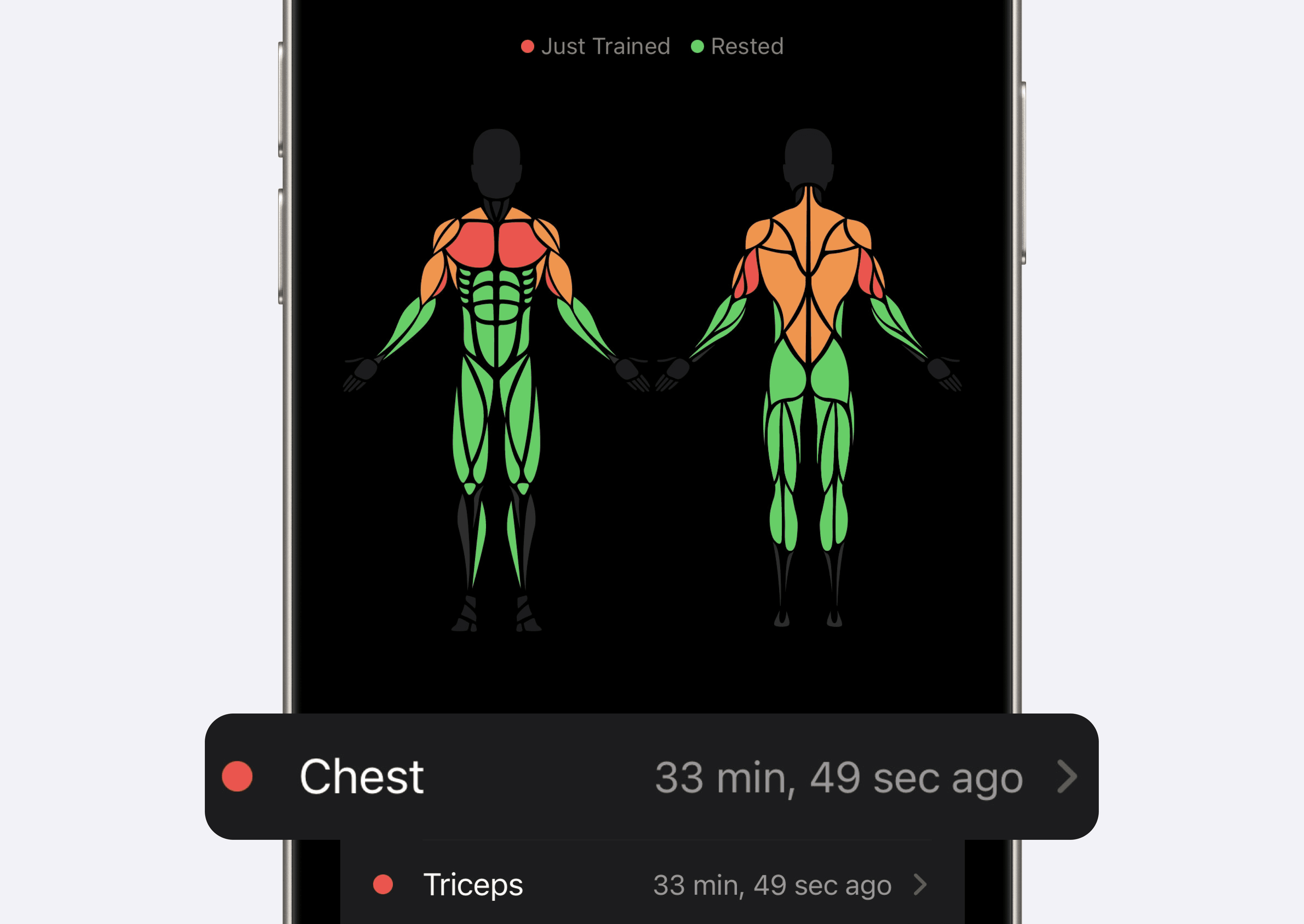
The iOS 26.4 update added a muscle overview, muscle-group summaries and charts for workout statistics. These features organize your training history and can help you review patterns; they do not measure physiological recovery directly.
Muscle Overview: Time Since Training
Use the muscle overview to see how recently muscle groups were trained.
The color changes with time elapsed since the last recorded set relative to the recovery period selected in settings. A “Rested” label is a time-based estimate, not a measurement of tissue repair, fatigue or readiness.
Use the overview alongside your training plan, recent performance and how you feel. It cannot guarantee injury prevention or tell you the optimal time to train.
Key benefits:
See which muscle groups were trained recently
Review the time-based overview alongside your schedule
Check performance and symptoms before deciding how much to train
Muscle Group Workout Tracker: Track Sets, Reps & Training Volume by Muscle
Muscle-group summaries show how your logged training is distributed.
Tap any muscle group to access a detailed breakdown of your training, including:
Total sets per muscle group
Reps performed
Overall training volume tracking
These summaries show how logged work is distributed. They can inform a review of your split, but a set or volume total does not directly establish muscle balance or growth.
Use the breakdown when reviewing how a workout split distributes exercises across the week.
Fitness Progress Charts: Workout Stats, Volume & Training Trends
Use the charts to review recorded workout statistics over time.
Historical summary-stat charts let you:
Monitor training volume over time
Track sets and reps progress
Identify plateaus and performance trends
Compare like sessions and read the charts alongside exercise selection, effort and your training plan.
If you’ve ever wanted a gym progress tracking app with charts, this update delivers exactly that.
Bring Workout History and Summaries Together
The iOS 26.4 release brought these features together:
Time-based muscle overview
Muscle-group workout summaries
Charts and exercise history
Whether you're a beginner or advanced lifter, this update helps you:
Review logged work over time
Compare similar sessions
Use the record to inform your next training decision
Upgrade Your Workout Tracking: Train Smarter with Recovery & Analytics
If these tools suit your routine, check the features and access offered in your installed app. This announcement describes iOS and does not establish the same feature set on Android.
Keep a clear record of what you complete, then use it as one input when reviewing your training.
