Workout Logging Apps Compared: Features for Lifters
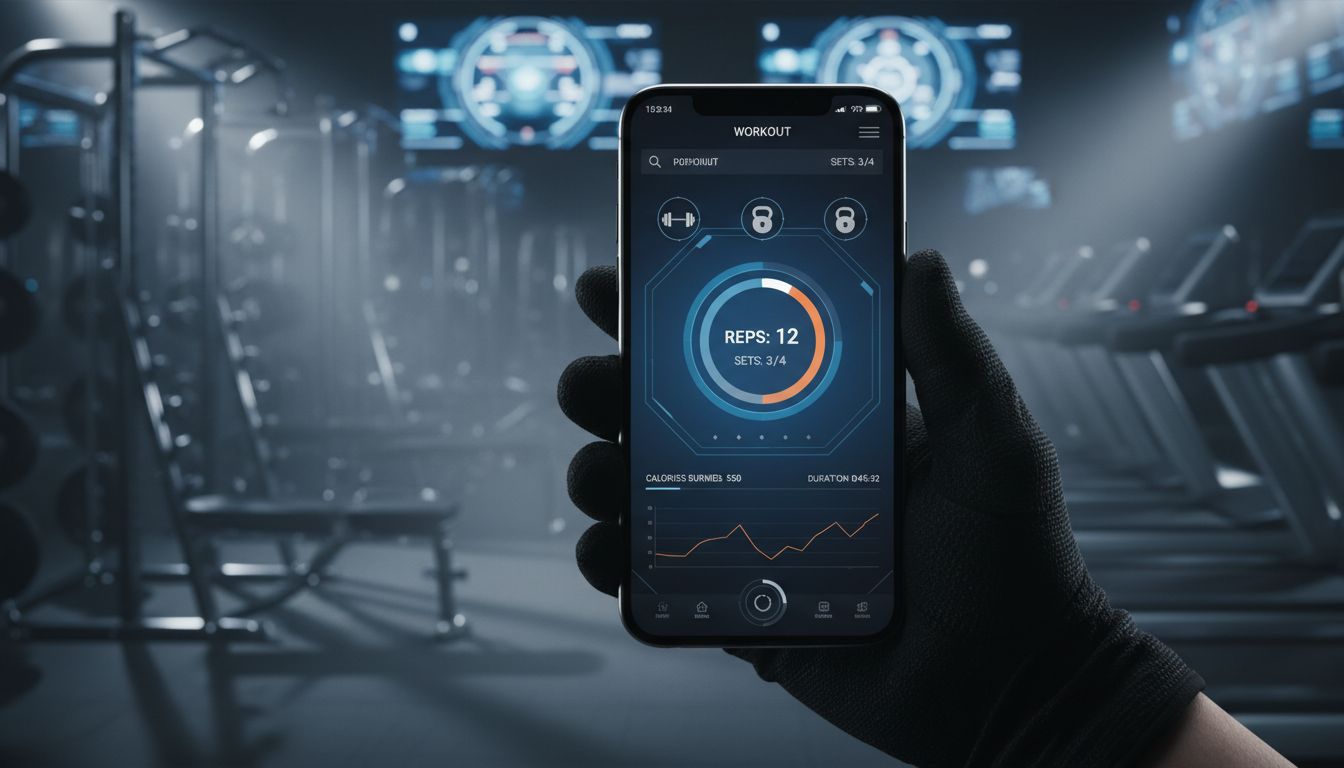
Why You Need a Workout Logging App
Remember when tracking workouts meant scribbling in a notebook between sets, trying to decipher your own handwriting while sweat dripped onto the page? Or worse, trying to remember what weight you used last week for that third exercise?
A paper notebook or spreadsheet can still work. An app is another option when its logging controls and history views make the record easier for you to use.
A workout tracker app does more than replace pen and paper. It becomes your training partner, your progress tracker, and your accountability system all rolled into one. When you can see that you've been stuck at the same weight for three weeks, or that you've hit a new PR on deadlifts, something clicks. The data transforms abstract effort into concrete progress.
But here's the thing: not all workout logging apps are created equal. Some are bloated with features you'll never use. Others are so bare-bones they're basically digital notepads. The best app to log workout depends entirely on how you train, what you're trying to achieve, and how much friction you're willing to tolerate.
This guide compares workout logging apps by their tracking features, free-plan limits, and suitability for different training styles, helping you find an option that fits your routine.
Published by Setgraph, the developer of one of the apps discussed. Consult the linked developer documentation for current features and access limits.
Choose a task that matches your training. For strength logging, record a sample set, correct it and find it in history. For guided workouts or running, try one session or activity. Then check the routine limits, export options and offline steps you actually need during the available free access or trial.
How to Evaluate Workout Tracker Apps

When comparing workout trackers, focus on the tasks you perform regularly: logging sets, reviewing exercise history, organizing routines, and monitoring progress.
Useful features to consider include:
Logging options for sets, reps, weight, duration, and notes
Exercise history and progress charts
Custom exercises and workout organization
Offline logging and account synchronization
Data export and backup
Free-plan limits and paid features
The right combination depends on your training style. A straightforward logger may be enough if you already follow a program, while workout planning and exercise instruction can help if you need more guidance.
Workout Logging Apps: Feature Comparisons
Setgraph: Session and Set Logging
When considering Setgraph, check whether the logging workflow and exercise history described below fit the way you train.
Start from the exercise you plan to perform, review recent comparable sets and record the work you complete. Your program and current performance determine whether to repeat or change the load.
What Makes It Stand Out:
Keep consistent exercise names and equipment notes so that your history remains useful across workouts. A bench press performed with a different setup should not automatically be treated as the same performance test.
For plate entry, distinguish totaling the plates already loaded from receiving a suggested plate combination for a target weight. Check the behavior and access offered in your app, including the bar weight and units.
Setgraph advertises an AI workout generator using goals, schedule and equipment. Treat generated exercises and progression as a draft to review, especially if you are new to lifting.
The Details:
Logging: Record sets and review previous exercise performance.
Access: The offer shown in your app determines logging access and additional tools.
Offline and synchronization: Confirm the specific workflow on your device; store availability does not establish cross-platform sync.
Consider it if: You want exercise-based logging and history, and the app’s actual access conditions fit your routine.
Compare the fields you use for strength, timed exercise or cardio and decide whether you need a separate GPS or social activity service.
Strong: Progressive Overload Tracking
Strong is a reusable-template and exercise-history option. You can enter a barbell program you already follow, but an app’s familiarity with a program name does not make it the program’s official publisher.
Open an exercise, record sets and review its history. Use those tasks to judge whether Strong’s interface fits your session; this guide does not report a measured logging-speed comparison.
Standout Features:
Check the rest timer’s start controls, notifications and available actions on your own phone. A timer alert is not necessarily an interface for logging the next set.
Strong PRO includes a plate calculator and warm-up calculator. Confirm the available units and bar/plate settings before using a calculation for a lift.
Progress charts visualize your strength gains over time. Seeing that upward trend on your squat graph is motivating in a way that raw numbers in a spreadsheet aren't.
The Details:
Tracking: Sets, reps, weight, duration exercises, notes and exercise history.
Export: CSV export is documented on iOS and Android.
Platforms: iOS and Android.
Free access: Up to three saved workout templates; PRO removes the template cap and adds tools including charts and calculators. Check current documentation for exact feature access.
Best For: Intermediate lifters following structured programs who want detailed progress tracking and don't mind paying for premium features.
Access note: The three-template limit affects saved routines, not a three-session workout allowance. Check the specific PRO tools you need.
Hevy: Social Workout Logging
Hevy combines workout logging with social features, creating a fitness-focused community within the app. If you're motivated by sharing progress and seeing what others are doing, Hevy delivers.
The workout feed shows recent workouts from people you follow. It's like Instagram, but instead of food photos, you see training sessions. Some people find this incredibly motivating. Others find it distracting.
What Works:
The exercise library includes demonstrations and movement guidance. These can help you review an exercise, but cannot assess or ensure your technique.
Workout templates and programs are shareable. If you find a program you like, you can share it with training partners or the community. Similarly, you can browse and import programs created by others.
Hevy includes workout and exercise statistics. Check which history ranges and muscle-group statistics are included in the free version versus PRO.
The Details:
Tracking: Sets, reps, weight, RPE, notes and supported exercise-type metrics.
Export: Workout and measurement data export is documented.
Platforms: iOS and Android, with additional watch and web support described in current documentation.
Free limits: Four routines, seven custom exercises and limited statistics-history ranges.
Best For: Lifters who enjoy community aspects and want to share their training journey. Good for those who need external motivation.
Consider whether you want social features and whether the free routine, custom-exercise and statistics limits fit your needs.
JEFIT: Exercise Library and Logging
JEFIT Basic includes over 1,400 exercises with instructions. Video demonstrations, advanced analytics and watch support appear in its Elite feature list.
JEFIT combines logging, routine-building, exercise guidance and community features. Compare the parts you need without assuming that a larger feature set is harder to use.
Strengths:
JEFIT advertises a large exercise library with movement instructions. Check that it includes the exercises and variations in your program.
Built-in workout programs cover everything from beginner routines to advanced bodybuilding splits. You can follow pre-made programs or create custom ones.
JEFIT’s analytics and other progress tools extend beyond basic logging. Check the Elite feature list if advanced analysis is central to your choice.
The Details:
Basic: Custom routines, exercise instructions, workout logging/history and community access.
Elite: Professionally designed plans, advanced analytics, watch support, video demonstrations and ad removal.
Data workflow: Check export and downloaded-workout behavior separately from the list of training features.
Consider it if: You want routines and an exercise library alongside your log, and its Basic or Elite features match your needs.
Consider whether you can find exercises and record a session easily in its interface.
FitNotes: Android Workout Logging
FitNotes is an Android workout logger with a free, ad-free core app. A separate paid Supporter upgrade adds certain customization features.
Its core workflow focuses on recording exercises and reviewing training history.
What It Does Well:
FitNotes focuses on an exercise log and training history. Its documentation describes custom exercises, routines and statistics; use a representative session to judge whether that workflow is convenient for you.
You can create custom exercises. The standard exercise types record weight and reps or distance and time; Supporter adds other predefined metric combinations.
FitNotes documents CSV export and backup files. CSV is for spreadsheet analysis; the separate backup file is what restores your app data. Optional Google Drive backups do not establish automatic multi-device merging.
The Details:
Tracking: Weight/reps and distance/time, with additional exercise types through Supporter.
Export: CSV export and separate backup files; Google Drive backup is documented.
Platform: Android.
Access: Free, ad-free core app with an optional paid Supporter upgrade.
Best For: Android users who want a reliable, free workout tracker without subscriptions or ads. Perfect for people who prefer simplicity.
FitNotes is Android-only. Its documented transfer workflow uses backup and restore files; review that workflow before using more than one device.
Best App for Strength Training and Progressive Overload
For progressive training, a log should make comparable past sets easy to find. Changes in load, reps and effort need to be interpreted with your program; not every session is expected to beat the last.
Setgraph's Approach:
Use exercise history to review previous recorded sets. Keep variations and setup notes consistent so you can distinguish a genuine performance change from a different movement or machine.
Past sessions give you context for a movement, but an old personal best is not automatically an appropriate target today.
When previous values are visible, use them as a record to compare with your current program. They do not mean you must add weight or reps in every session.
Rest-time notes can help make repeated sessions comparable. Rest is one part of the training context, alongside technique, workload, effort and recovery.
Progress charts can make changes in recorded performance easier to review. Training adjustments need context beyond the chart.
Key Features for Progressive Overload:
Exercise history: Find the sessions you want to compare.
Estimated 1RM: Check the calculation and treat it as an estimate rather than a measured maximum.
PR records: Compare the same exercise, equipment and technique.
Volume-load: Sum reps × load across sets; sets × reps × load is a shortcut only when reps and load are identical in every set.
Rest timers and notes: Record enough context to interpret the session.
Plate tools: Verify bar weight, units and actual plates.
Best Workout App for Beginners
Beginners face a unique challenge: they don't just need to track workouts—they need to know what workouts to do in the first place.
The best app to log workout for beginners needs to balance simplicity with guidance. Too many features become overwhelming. Too few, and you're left wondering what to do next.
When considering Setgraph, compare its workout-generation and logging features with the guidance and tracking you need.
Why It Works for Beginners:
If you use an AI-generated draft, verify that the schedule, exercises, workload and progression fit the information you supplied before saving it as your plan.
Try recording a session and finding the previous entry. Keep a copy of the plan so you can distinguish prescribed work from what you actually completed.
The exercise notes feature lets you add reminders or form cues. As a beginner, you might note "keep chest up" on squats or "squeeze shoulder blades" on rows. These personal reminders help reinforce proper technique.
Other Good Options for Beginners:
Boostcamp lists community-created routines, including a Starting Strength-named routine. Check the creator and full schedule before treating a familiar program name as an official version.
The advantage is structure without decision fatigue. The disadvantage is less flexibility if you want to customize or deviate from the program.
Caliber offers coach-designed plans and an optional upgrade to individual human coaching. Compare those services with the level of guidance you need.
What Beginners Should Avoid:
If you are a beginner, check whether you can find the exercises in your plan and record your first session without extensive setup.
Similarly, apps that require extensive setup before you can log your first workout create unnecessary friction. The best app for beginners is one you'll actually use, which means it needs to be approachable from day one.
Best Workout Logging App for Bodybuilding
A hypertrophy-focused log may need weekly set counts, exercise variations, effort notes and a consistent way to compare performance. Those requirements depend on your program, not on an assumption that bodybuilding always needs more complex splits or exercise variety.
Hevy and JEFIT provide different combinations of routines, exercise libraries and statistics to compare for this task.
Hevy's Bodybuilding Strengths:
Hevy documents statistics for muscle distribution and sets per muscle group. Check the current app plan for which metrics and history ranges you can access.
Exercise variety is well-supported. Bodybuilders often rotate exercises to hit muscles from different angles, and Hevy makes it easy to track multiple variations of similar movements.
If sharing progress motivates you, compare Hevy’s social features with your privacy and focus preferences.
RPE records how hard a set felt and can provide context alongside sets, reps and load. Logging it does not by itself prevent fatigue.
JEFIT's Bodybuilding Strengths:
JEFIT’s exercise library can help you look up movement variations; check the specific equipment and exercises you use.
Built-in bodybuilding programs from classic splits (Bro Split, Push/Pull/Legs) to more advanced protocols give you templates to follow or modify.
Body measurement tracking and progress photos are integrated into the app. For bodybuilders focused on aesthetics, these features matter more than they do for strength athletes.
Key Features for Bodybuilding:
Volume Tracking by Muscle Group: See total sets and reps per muscle group per week
Exercise Variety Support: Easy to add and track multiple exercises for the same muscle
RPE/RIR Tracking: Monitor intensity across high-volume sessions
Tempo Tracking: Control time under tension for hypertrophy
Superset and Drop Set Support: Log advanced training techniques
Body Measurements: Track arm, chest, waist, and leg measurements
Progress Photos: Visual tracking of physique changes
Check these needs feature by feature. Hevy documents RPE, supersets, progress photos and body measurements. Confirm dedicated tempo or RIR fields and each app’s current access limits if those are important to your program.
Setgraph for Bodybuilding:
Setgraph’s iOS release notes describe muscle-group summaries for sets, volume and reps, along with summary-stat charts. Compare those views, exercise organization and set history with your bodybuilding program’s tracking needs. Check availability in your app version and account; the iOS documentation does not establish Android parity or universal free access. Keep a separate tally or measurement record when your program requires fields or counting rules the available view does not provide.
For bodybuilders who want to focus purely on training performance without the extra features, Setgraph's streamlined approach might actually be preferable.
Key Features to Look for in a Workout Tracker
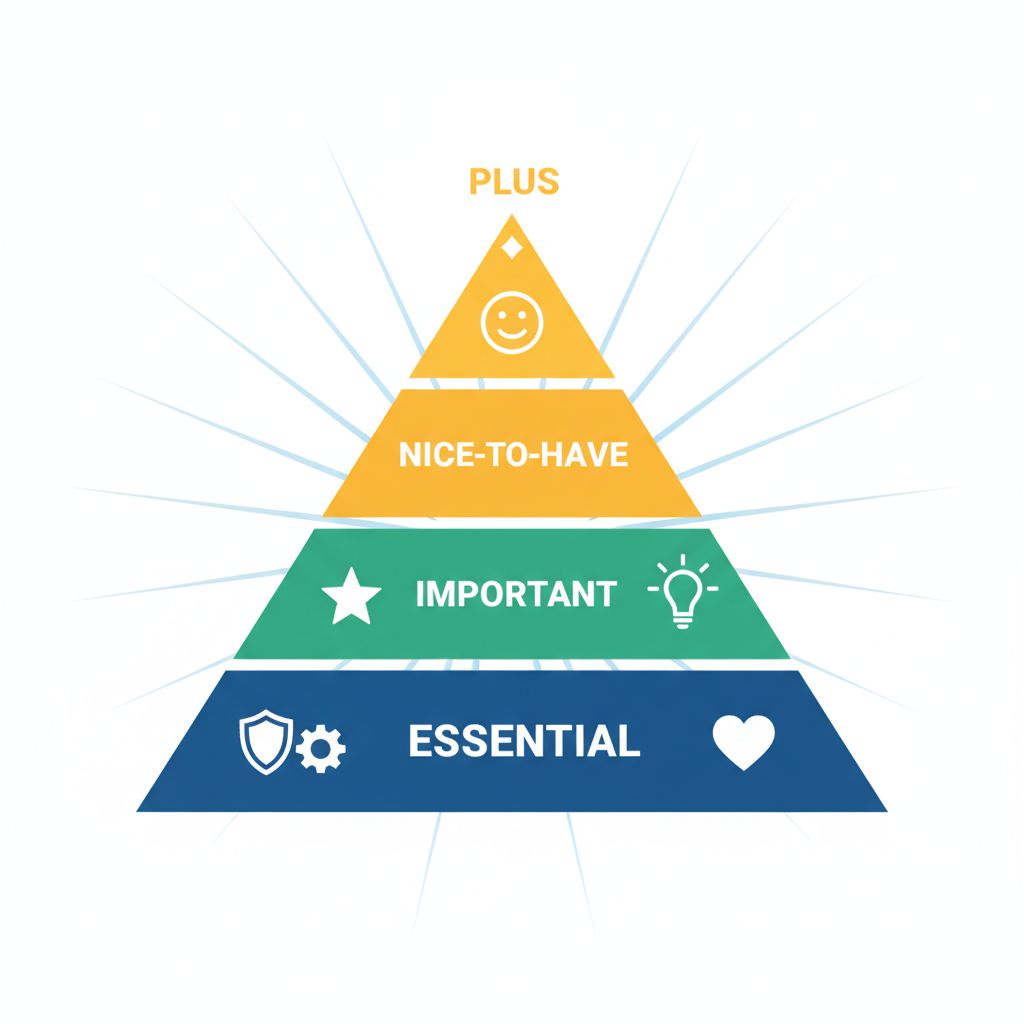
Not all features matter equally. Some are essential; others are nice-to-have; many are just bloat that clutters the interface.
Essential Features:
Exercise History: Check that the past sessions and fields you need are accessible, including any history-range limits. A clear record supports review without dictating the next load.
Quick Logging: Check whether you can find exercises, enter sets and correct mistakes without interrupting your session.
Offline Functionality: If connectivity is unreliable, test saving and reopening a session offline, then confirm how that record is backed up when you reconnect.
Custom Exercises: Pre-built exercise libraries are helpful, but you need the ability to add your own. Maybe you do a specific variation, or your gym has unique equipment.
Important Features:
Rest Timers: Built-in timers with notifications keep your rest periods consistent. This matters more than most people realize.
Plate Calculators: Verify whether the tool totals entered plates or suggests a combination, and double-check the physical bar before lifting.
1RM Calculations: Automatic estimated one-rep max calculations help you program training percentages.
Progress Charts: Compare whether a chart or a simple set list makes the pattern you need easier to review.
Workout Templates: Save time by creating reusable workout templates instead of building from scratch each session.
Nice-to-Have Features:
RPE/RIR Tracking: Useful for managing fatigue, especially in high-volume training.
Tempo Notes: Useful when your program specifies repetition timing. A notes field may be enough if a dedicated tempo field is unavailable.
Body Measurements: Helpful for tracking physique changes, but not essential for workout logging.
Social Features: Some people love sharing workouts and following others. Many prefer to train privately.
Generated workout suggestions: Can provide a draft to review when you need planning ideas. Check the schedule, workload and progression rather than treating a generator as individual coaching.
Features That Often Don't Matter:
Gamification: Badges, streaks, and achievements might motivate some people, but they're often just distracting.
If you also track nutrition, decide whether you need a food diary, nutrition targets or coaching, then compare the relevant tools.
Cardio Tracking: Unless you're specifically looking for a hybrid app, dedicated running or cycling apps handle cardio better than workout trackers.
If form feedback matters, verify who or what reviews the video and what the service can actually assess.
The best app to log workout for you depends on which features align with your training style and goals. A powerlifter needs different tools than a bodybuilder, who needs different tools than a CrossFit athlete.
Free vs Paid: What You Actually Need
Start with the tasks you need, then compare which features are available without a subscription and which require an upgrade.
Free access examples:
Strong: Three saved templates; ongoing free logging.
Hevy: Four routines, seven custom exercises and limited history/statistics ranges.
JEFIT Basic: Routines, exercise instructions and logging/history.
FitNotes: Free, ad-free Android core app.
Paid features differ by app:
Strong PRO adds templates, charts, measurements and calculators.
Hevy PRO adds longer statistics ranges and guided Trainer features.
JEFIT Elite adds analytics, videos, watch support and ad removal.
FitNotes Supporter adds certain exercise-type and unit options.
For Setgraph, the current account offer determines access; do not infer a universal free/PRO matrix from a feature description.
The Reality Check:
Free-plan limits vary by app. Check the exact limit you would encounter in your routine rather than assuming every upgrade is necessary.
Strong’s free version allows three saved workout templates. Consider whether that covers your regular routine before deciding whether additional templates are useful.
When Premium Is Worth It:
Premium subscriptions make sense if:
You're using the app daily and it genuinely improves your training
The premium features directly support your goals (advanced analytics for competitive athletes, for example)
The cost is negligible relative to your fitness budget
You've tried the free version and hit real limitations
When Premium Isn't Worth It:
Skip premium if:
You're just starting out and aren't sure you'll stick with tracking
The free version meets your needs
You're paying for features you don't use
An app’s free features cover the logging tasks you need; check which additional tools require a paid plan
The Bottom Line:
Don't pay for premium features you don't need. Start with free options, identify what's actually missing from your experience, then decide if premium is worth it. In many cases, switching to a different free app solves the problem without opening your wallet.
Offline Functionality and Platform Availability
Your gym probably has terrible WiFi. Or maybe you train in a basement with no signal. The best app to log workout needs to function without internet connectivity.
Offline Functionality Comparison:
Documented offline and backup distinctions:
Check offline logging separately from media, social features and backup. FitNotes documents local records and backup files
Hevy advertises offline watch workouts. Verify phone behavior and synchronization for your exact device.
Requires Connection:
Online services may require a connection for plan delivery, account access or media. Check each app’s specific offline documentation rather than treating all coaching as AI.
Why Offline Matters:
A connection may be needed for media, account services or synchronization even when a session can be recorded offline. Compare the specific steps rather than assigning the entire app a single offline label.
Check offline behavior with the exact exercises and history you need, then reopen the saved session before relying on it in a low-signal gym.
Platform Availability:
Cross-Platform (iOS + Android):
Setgraph
Strong
Hevy
JEFIT
Caliber
Boostcamp
Android Only:
FitNotes: Android-only app with a free, ad-free core and an optional Supporter upgrade.
Availability is not feature parity:
An iOS and Android listing does not establish identical features, shared purchases or cross-platform synchronization.
Web Access:
JEFIT and Hevy offer web access as well as mobile apps. Check which planning and review tasks are supported on the web before using it as part of your workflow.
Cross-Platform Sync:
For multiple devices, verify account synchronization and conflict handling with a small test record. A backup that replaces a device’s data is different from merging new entries between devices.
FitNotes documents backup and restore, including Google Drive backups. Restoring a backup replaces current data on the destination device; it is not described as merging changes.
The Bottom Line:
Choose an app that works offline and supports your platform. If you might switch from iPhone to Android (or vice versa) in the future, pick an app available on both platforms with cloud sync.
Integration with Wearables and Fitness Platforms
Many people use fitness wearables like Apple Watch, Garmin, or Fitbit alongside workout tracking apps. Integration capabilities vary widely.
Apple Health Integration:
If Health integration matters, check what the exact iOS app writes or reads and which permissions are required.
Check supported workout types, heart-rate data, calorie estimates and activity summaries separately.
For each app, verify the exact Health data types and permissions. An integration label does not establish what will count toward activity goals or what data will be shared.
Google Fit Integration:
For Android, consult the app’s current integration documentation and supported device requirements rather than assuming a particular health-data service is available.
Wearable-Specific Integration:
Garmin: Check the supported connection, activity types and data transferred for the specific app and device.
Fitbit: Check the current partner-app connection and whether it transfers the exercise fields you need.
WHOOP: Treat strain or recovery metrics as a separate record from exercise load and repetitions; verify the exact integration if you need both.
MyFitnessPal Integration:
If you use MyFitnessPal, check whether your workout app supports the specific data connection you want and what information it transfers.
Keep integrations that solve a real task, such as reviewing nutrition and training together. There is no need to connect services whose data you will not use.
What Actually Matters:
Choose integrations based on a concrete need, such as reviewing workout summaries in a health app, and verify that workflow before subscribing.
For comparing lifting sessions, prioritize the metrics your program uses, such as load, reps and effort notes. Wearable metrics may serve other purposes and should not be treated as equivalent to lifting intensity.
An activity summary sent to another service may affect that service’s estimates. Check what is transferred and do not treat a wearable estimate as an independent assessment of readiness or safe training load.
The Simple Approach:
Don't choose a workout app based on integrations unless you have a specific need. Choose based on how well it tracks workouts, then consider integrations as a bonus if they exist.
How to Choose the Right Workout Logging App for Your Goals

The best app to log workout depends entirely on your training style, goals, and preferences. Here's how to match apps to your situation:
If You're a Beginner:
Compare a clearly attributed beginner plan, exercise instructions and the feedback you need. If you use Setgraph’s generator, review its draft and try the logging workflow before committing.
Alternative: Compare an attributed beginner program in Boostcamp, checking its creator and schedule.
If You're Focused on Strength and Progressive Overload:
Compare Setgraph and Strong by recording a representative exercise and retrieving comparable history. Use your program to decide what comes next.
If You're a Bodybuilder:
Compare Hevy’s routine and statistics features with JEFIT’s library and Basic/Elite tools. The history ranges and paid boundaries may matter more than the total number of features.
If You Value Simplicity Above All:
Compare Setgraph’s exercise-history workflow with FitNotes’ Android logging and backup tools using the same sample session.
If You Want Social Features:
Hevy includes a workout feed and sharing features. Review their visibility controls and decide whether that social workflow is useful to you.
If You Follow Specific Programs:
Boostcamp includes popular programs and guides you through them session by session.
If You Want Programming or Coaching:
If you want help designing a plan, compare the published generator or coaching workflow. Caliber describes individual human coaching; Setgraph advertises an AI workout generator. These services are different, so check what support and access each includes.
Decision Framework:
Identify the exercises and metrics you need to record.
Count your reusable routines and custom exercises against the free limits.
Compare guidance: instructions, an attributed program, a generated draft or individual coaching.
Verify your phone, watch and any transfer requirements.
Try a representative session within the available free access or trial; check renewal terms before a trial starts.
Keep an export or backup where supported before transferring a large history.
The worst choice is analysis paralysis—spending so much time researching apps that you don't actually train. Pick one that seems reasonable, use it for a month, and adjust if needed.
Frequently Asked Questions
Can these apps track progressive overload automatically?
A log can display previous performance and calculate statistics, while a separate coaching or generator feature may suggest changes. Hevy, for example, documents progressive-overload recommendations in its PRO Trainer. Review the recommendation against your program and actual performance; logging a set does not automatically determine a safe or appropriate next load.
Which workout logging apps work best for tracking custom exercises?
To compare custom exercises, create one movement in each candidate app and check which names, units, notes and exercise types you can save. Hevy’s free version allows seven custom exercises; FitNotes supports custom exercise entries.
Do any workout tracker apps provide AI-powered form feedback or recommendations?
Workout generation and form assessment are different services. Caliber describes form feedback from a human coach; the current sources do not establish AI video-form analysis. Verify who reviews your technique and what feedback is included before choosing a coaching service.
How do workout logging apps compare to using a simple spreadsheet?
A spreadsheet can provide a flexible training record. Compare the effort of entering and finding sets on your phone with an app’s available logging controls, timers and export options.
Which apps have the best rest timer and plate calculator features?
For a plate tool, check whether you enter loaded plates to total the barbell weight or enter a target weight to receive a loading suggestion. These are different workflows. Strong documents a PRO plate calculator.
Can I use these apps without internet connection?
Test the logging workflow you need without a connection, then verify how the saved data is backed up. FitNotes uses backup files rather than a documented automatic multi-device synchronization workflow. Other apps may require a connection for some features even when basic logging is available offline.
How long does it take to log a workout?
Logging time depends on the app, your device and the information you record. Check how easily you can enter a set, find previous performance and correct a mistake during your own sessions rather than relying on a universal timing estimate.
Will I lose my data if I stop paying for premium?
Strong states that workout data remains available without PRO. Other apps have their own rules for history access, new logging and statistics. Export and backup are useful when supported, but do not assume export remains available under every subscription status.
Making Your Choice
The best app to log workout is the one you'll actually use consistently. Features don't matter if the app sits unused on your phone.
For strength training, consider whether the workflow in Setgraph fits your routine. Compare current features and access limits with the tasks you need, and check the in-app offer and Membership terms before deciding.
If Setgraph does not fit your needs, compare Strong, Hevy and FitNotes against your priorities, device compatibility and current access limits.
The important thing is to pick one and commit. Your workout data becomes more valuable over time. Six months of consistent tracking reveals patterns and progress that a few weeks can't show. A year of data is genuinely powerful for understanding your training.
Stop researching and start logging. Your future self will thank you when you can look back and see exactly how far you've come.
