Workout Tracking Apps Compared: Choose a Log for Your Training
Why Workout Tracking Actually Matters
A workout log gives you a record of exercises, loads and reps to compare across sessions. It can help you notice changes that memory alone might miss; it does not diagnose why progress has stalled.
The right workout tracker app does more than just log numbers. It becomes your training partner, helping you identify patterns, push past plateaus, and stay accountable to your goals. When comparing workout trackers, look for a few key traits: convenient logging during workouts, clear progress tracking, and an interface that fits your training routine.
This guide compares workout tracking apps by logging features, training focus and access limits. Use it to identify the tasks you need, then check the current app details on your device.
Published by Setgraph, the developer of one of the apps discussed. Consult the linked developer documentation for current features and access limits.
Choose a task that matches your training. For strength logging, record a sample set, correct it and find it in history. For guided workouts or running, try one session or activity. Then check the routine limits, export options and offline steps you actually need during the available free access or trial.
What to Look for in a Workout Tracker
Choosing a workout tracker comes down to how well its features support your routine. Consider these priorities:
Logging convenience: Can you record your sets without navigating through unnecessary screens?
Progress tracking: Can you easily review previous weights, reps, and exercise history?
Flexibility: Can you organize exercises around your preferred training style?
Offline access: Which logging functions remain available without a connection?
Data portability: Can you export your training history?
Free and paid access: Which features are included for free, and which require a membership?
Workout Tracking Apps: Feature Comparisons
Setgraph: Exercise and Session Logging
When considering Setgraph, compare the steps for finding an exercise, recording a set and reviewing previous sessions with your usual training routine.
Setgraph lets you organize exercises around the routine you use. Compare an exercise-first log with a saved-routine workflow by recording one of your own typical sessions.
Key features that matter:
Record exercise sets and review previous performance
Use exercise notes for cues or program instructions
Compare the available timer and plate-entry controls with your own workflow
Review any generated plan before using it
For a split such as Push/Pull/Legs, use consistent exercise names and keep a note of the equipment and setup. That makes it easier to compare the same movement across training days.
What makes Setgraph particularly valuable is its understanding that not everyone tracks the same way. Some users only log personal records. Others track every single set. The app accommodates both approaches without forcing you into a specific methodology.
Access: Setgraph has iOS and Android listings. Use the membership offer shown in your app to see which logging and additional tools are available to your account; this comparison does not establish a universal free allowance or PRO feature boundary.
Strong: The Minimalist's Choice
Strong provides workout logging and reusable templates on iOS and Android. Its help documentation distinguishes a saved template from a completed workout.
Build a routine, record sets and inspect exercise history. Try those steps with your own training plan to judge whether the interface fits you.
Strong’s free version allows up to three saved workout templates. PRO removes that template cap and adds tools such as all charts, body-part measurements and calculators. The template limit is not a three-session logging allowance.
Consider it if: Your routine fits within three saved templates, or you need enough additional templates or PRO tools to justify an upgrade.
JEFIT: Massive Exercise Library
JEFIT Basic includes a library of over 1,400 exercises with instructions, custom routines, and workout logging/history. Video demonstrations are listed separately among Elite features.
JEFIT also offers program and community features. Decide whether you want to build your routine or follow an available program, then check the program’s creator and access level.
Elite adds professionally designed plans, advanced analytics, watch support, video demonstrations and ad removal. Those are separate from Basic logging and instructions.
Consider it if: You want routine-building and exercise instructions alongside a log, and its Basic or Elite feature set matches what you need.
Hevy: Social Workout Tracking
Hevy combines workout logging with social features, letting you follow friends, share workouts, and compete on leaderboards. If you're motivated by community and friendly competition, this approach works well.
Hevy offers workout logging, progress views and social features. Its free version limits saved routines, custom exercises and statistics ranges, so check those limits against your routine.
If social features matter, inspect what is shared and who can see it. If you prefer a private log, compare the available visibility controls.
Best for: Social lifters who enjoy sharing progress and competing with friends.
Fitbod: AI-Powered Workout Planning
Fitbod takes a different approach by using AI to generate personalized workouts based on your goals, available equipment, and recovery status. The algorithm considers which muscles you've trained recently and adjusts recommendations accordingly.
Fitbod offers limited trial access before a subscription is required for ongoing logging. Check the current trial offer and cancellation terms on your device.
If you already follow a program, check how its recommendations and customization options fit that plan before committing.
Best for: Intermediate lifters who want guided programming without hiring a coach.
Best App for Specific Use Cases
For Powerlifters and Strength Athletes
For squat, bench press and deadlift training, compare whether Setgraph or Strong makes your recent sets easy to review. Apply the progression rule in your program rather than treating each old result as something you must beat today.
If your program uses percentages, check how the app estimates one-rep max and which sets it uses. An estimate from repetitions is not a measured maximum; keep the method consistent when comparing sessions.
For Bodybuilders and Hypertrophy Training
For hypertrophy-focused training, compare how apps record sets, reps, load and exercise selection. Volume-load is the sum of reps × load across your sets, or sets × reps × load when those values are the same for every set. It is one metric, not a complete measure of training stimulus.
For a bodybuilding split, compare Hevy’s routine and exercise-statistics features with JEFIT’s routine builder and analytics. Check which statistics require an upgrade, and record setup or technique notes when they help you compare sessions.
For CrossFit and Functional Fitness
CrossFit workouts often include varied movements, time domains, and scoring methods (AMRAP, EMOM, for time). You need an app flexible enough to handle this variety.
For AMRAP, EMOM or “for time” sessions, check whether an app records the score you actually use, such as rounds, elapsed time or completed reps. An exercise database alone does not establish that those workout formats are supported.
For Complete Beginners
If you need a plan, compare a clearly attributed beginner program with a generated draft. Setgraph’s AI plan page describes using goals and equipment inputs; review the exercises, workload and progression before training from any generated output.
JEFIT’s exercise instructions and demonstrations may help you review a movement, but they do not provide an individual technique assessment.
For Runners and Endurance Athletes
While this guide focuses on strength training apps, runners need different features: GPS tracking, pace analysis, and route mapping. Strava offers features for tracking runs and rides.
If you lift and run, decide whether you need a GPS route record, a lifting log or both. A nutrition app’s exercise diary serves a different task from GPS analysis or reviewing individual work sets.
Key Features to Look for in a Workout Tracker
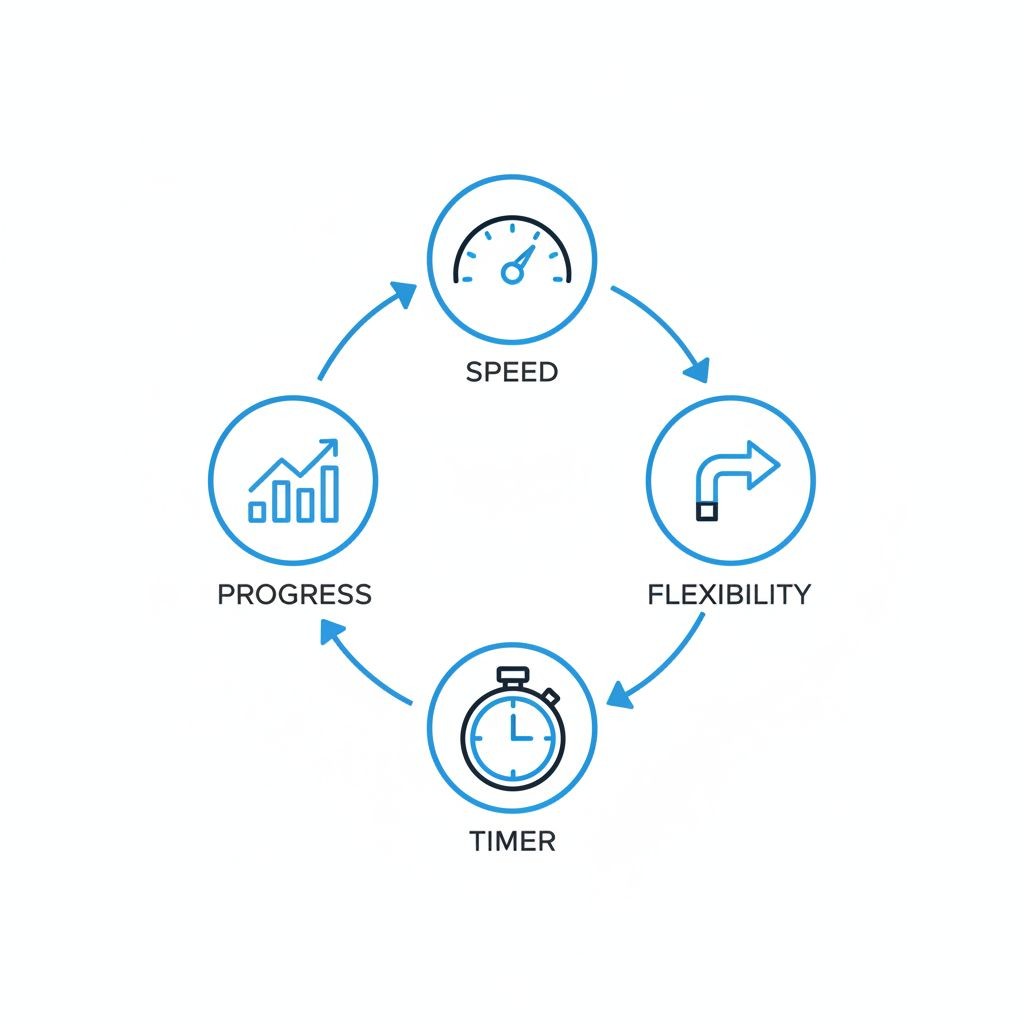
Speed of Logging
Logging convenience depends on the app, your device and the information you record. Check how easily you can enter a set and correct mistakes during your own sessions.
Look for:
Pre-filled data from your last set
Swipe gestures for quick actions
Minimal screen transitions
Large, easy-to-tap buttons (your hands might be shaky after heavy sets)
Exercise History and Progress Visualization
Seeing your progress is what keeps you motivated. The app should make it obvious whether you're getting stronger, not require you to analyze spreadsheets.
Good progress tracking includes:
Clear graphs showing weight progression over time
Personal record (PR) tracking and notifications
Volume calculations (total weight lifted)
Estimated 1RM based on your working sets
Comparison to previous workouts
Flexibility vs. Structure
Some apps force you into their methodology. Others let you do whatever you want. Neither approach is inherently better—it depends on your needs.
Structured apps work well if you:
Follow a specific program (5/3/1, Starting Strength, etc.)
Want the app to tell you what to do
Prefer consistency and routine
Flexible apps work well if you:
Auto-regulate based on how you feel
Run multiple programs simultaneously
Like to experiment with different training styles
Setgraph's approach of letting you organize exercises into workouts (or not) offers a nice middle ground.
Rest Timer Integration
A built-in timer can keep the rest period visible alongside your log. Compare that convenience with the timer you already use; neither option determines the right rest interval for your program.
The best implementations:
Start automatically after logging a set
Allow custom rest times per exercise
Send notifications when rest is complete
Let you log your next set directly from the notification
Plate Calculator
Plate tools use different workflows: some suggest plates for a target load; others total the plates you enter. Check the bar weight, units and available plates, then verify the actual load before lifting.
This saves mental energy for the actual lifting.
Free Access, Trials and Membership Features
Compare the specific tasks included in each plan. An ongoing free tier, a limited trial and a paid membership are different kinds of access.
Free Tier Features
Start with the tasks you need to complete:
Check whether basic logging, saved routines, exercise history and custom exercises are included.
Limitations to expect:
Look for explicit limits on saved routines, custom exercises and statistics ranges. Check export and backup separately.
Features to Check Before Upgrading
Use the current developer documentation to check access to:
Additional saved routines
longer statistics ranges
calculators
timer controls
export and backup
any other tool you would use regularly.
For Setgraph, compare the current in-app offer with the specific tasks you need: logging, exercise history, workout organization, timers or plate entry. Availability in a feature description does not by itself establish free access on every account.
Programming and Coaching
Check what kind of guidance is included:
A generated plan, a program library, instructional videos and feedback from a human coach are different services.
Choose an upgrade only if the additional tools or guidance meet a specific need in your routine.
Check Renewal and Cancellation Terms
Review whether an offer is a trial, a recurring membership or a one-time purchase, and check its renewal and cancellation terms.
Integration with Wearables and Other Apps
Your workout tracker doesn't exist in isolation. It should play nicely with your other fitness tools and devices.
Apple Watch and Wear OS Support
A good smartwatch integration lets you:
Log sets without pulling out your phone
View your workout plan on your wrist
Track heart rate during training
Get rest timer notifications
Control music playback
A lock-screen Live Activity, a timer mirrored on a watch, and a standalone watch app are different capabilities. Check which of those your exact phone/watch combination supports before relying on wrist-based logging.
Health App Synchronization
Check which workout data the app can read or write to your phone’s health service, and whether you need to enable permissions. A shared health record may be useful if you:
Use multiple fitness apps
Want a comprehensive view of your health data
Track other metrics (sleep, nutrition, steps)
Use health data for insurance or wellness programs
Check whether the app syncs automatically or requires manual export.
Fitness Tracker Integration
For a Fitbit, Garmin or WHOOP workflow, identify the exact information you want transferred, such as a session summary or heart-rate record. Verify the connection and data fields rather than assuming that shared platform availability means synchronization.
If Strava connectivity matters, verify that your specific device and the data you need appear in its current supported integrations.
Privacy and Data Security Concerns
Your workout data reveals a lot about you: when you're at the gym (and therefore not home), your physical capabilities, your health status, and your daily routines. Here's what to consider:
What Data Gets Collected
Workout apps typically collect:
Exercise performance data (weights, reps, sets)
Workout timing and frequency
Location data (if GPS-enabled)
Body measurements and photos
Device information
Usage patterns
How Your Data Gets Used
Read each app’s privacy policy and account settings to understand its data practices. Look for answers to these questions:
What data is collected? What purposes does the developer describe? Is data used for advertising or model training? What sharing controls and deletion options are available?
Do not infer a developer’s practices from whether the app is free or paid. Use its current policy and disclosures.
Data Storage and Security
Questions to ask:
Is your data encrypted in transit and at rest?
Where are the servers located?
What happens to your data if you delete your account?
Can you request a complete data deletion?
Has the company had any data breaches?
Local storage and cloud backup have different trade-offs. Review how the app protects the record, how you restore it after losing a device and whether sharing is optional. Storage location alone is not a complete privacy or security assessment.
How to Choose the Right Workout Tracking App
With so many options, how do you pick? Here's a decision framework:
Start with Your Training Style
If you follow a structured program: Choose an app that makes it easy to input your program once and follow it consistently. Look for workout templates and program notes.
If you train intuitively: Pick an app that's fast to use and doesn't force you into pre-planned workouts. Setgraph's flexible approach works well here.
If you’re a beginner: compare a clearly attributed beginner plan, exercise instructions and any personal guidance you need. Review a generated draft before using it; an exercise library alone cannot assess your technique.
Consider Your Technical Comfort Level
Try creating one routine and correcting a set in each candidate. Use the steps you actually need to judge complexity instead of assuming that more features always mean a steeper learning curve.
If you just want to log sets and see if you're getting stronger, don't overcomplicate it with an app designed for professional athletes.
Evaluate the Free Version First
Try the app during real sessions within its available free access or trial period. Before starting a trial, check its end date, billing terms and cancellation deadline. Pay attention to:
How quickly you can log sets during your workout
Whether the interface makes sense to you
If you actually use the features or ignore them
How motivating the progress tracking feels
Think Long-Term
Your log can become a useful long-term training record. Before switching apps, check the destination’s import format and try a small transfer, then keep an export or backup where supported.
Choose an app you can see yourself using for years, not just one with a flashy feature you'll stop using in a month.
Platform Availability Matters
If you may switch between iPhone and Android, check both store listings and the exact transfer or account-sync workflow. Availability on both platforms does not by itself establish shared history, purchases or identical features. If web access matters, verify the planning and review tasks you need there.
Frequently Asked Questions
Can I track workouts offline without internet?
Offline support is feature-specific. Fitbod documents offline workout generation and logging, while some media, history and program features require a connection. For any app you choose, test the logging tasks you need on your device and verify later backup or synchronization.
Which app is best for beginners with no workout plan?
A beginner may benefit from an attributed plan, exercise instructions or individual coaching, depending on what guidance is needed. Caliber describes coach-designed plans, JEFIT provides exercise instructions, and generated tools such as Setgraph and Fitbod can draft options. Review any plan and seek qualified technique guidance where needed; AI generation alone does not establish the best fit.
How do these apps track progressive overload?
Most apps track progressive overload by displaying your previous performance (weight, reps, sets) when you log a new workout. You can see at a glance whether you're lifting more weight, doing more reps, or increasing total volume. Better apps calculate estimated 1RM, track personal records automatically, and show progression graphs over time. The key is making this information visible during your workout, not buried in analytics you check later.
Can I import data from another workout tracking app?
Export and import support are separate. Strong documents CSV export but says the file cannot be imported back into Strong. Hevy documents importing a direct Strong CSV in English. For any other move, verify the exact destination format before assuming your history will transfer.
Do I need to pay for a workout tracker app?
Not necessarily. Strong, Hevy and JEFIT describe ongoing free logging options with different feature limits; Fitbod uses a trial followed by paid access for new workouts. Choose by the tasks your routine requires. For Setgraph, use the actual in-app offer rather than assuming a universal free logging allowance.
Will these apps work with my Apple Watch or Fitbit?
Check the exact watch and phone combination, supported app versions, and the task you want to perform. Viewing a timer, logging sets on a watch and sharing workout summaries with a health app are different capabilities.
What happens to my workout data if I stop paying?
Policies differ. Strong says workout data remains available without PRO, and Fitbod says past workouts remain viewable after membership ends. Check the current terms for the app you choose, including any limits on statistics or new logging, and keep an export or backup if the app supports it.
Can I track bodyweight exercises and cardio?
Yes, though apps vary in how well they handle non-weighted exercises. Most strength training apps let you log bodyweight movements (pull-ups, push-ups, dips) by tracking reps and sets without weight. For cardio, you'll need to check if the app supports time-based or distance-based tracking. Dedicated running apps like Strava handle cardio better, so you might need separate apps for strength and endurance training.
Making Your Choice

The best app for tracking workouts is the one you'll actually use consistently. Fancy features don't matter if the app frustrates you mid-workout or takes too long to log a set.
For strength training, compare Setgraph’s exercise-history workflow with the reusable routines and access limits of Strong, Hevy and JEFIT. Keep a short list of the features you would actually use, then compare their current offers.
Hevy emphasizes social logging, JEFIT combines routines with exercise instructions, and Fitbod generates workout suggestions. Choose the service that fits your need for organization or guidance; generated recommendations still need review.
The key is matching the app to your training style and goals. Download a few options, test them during actual workouts, and pay attention to which one feels natural. Your workout tracker should enhance your training, not complicate it.
Ready to keep a clearer training record? Explore Setgraph’s workout logging workflow and check the current features and access conditions in the app.
