Best Apps to Track Workouts in 2024: Free & Paid Options Compared
What is a Workout Tracking App and Why Use One
A workout tracking app is essentially a digital gym log that records your exercises, sets, reps, and weights. Think of it as your training partner that never forgets what you did last week—or last month.
The benefits go beyond simple record-keeping. When you track your workouts consistently, you create a data trail that reveals patterns you'd otherwise miss. Maybe you're stronger on certain days of the week. Perhaps your bench press stalls every time you hit a specific weight. These insights become obvious when you have months of data to review.
Research shows that people who track their workouts are 33% more likely to stick with their fitness routines. The act of logging creates accountability. You're less likely to skip that last set when you know you'll have to record it (or not record it).
For strength training specifically, tracking enables progressive overload—the gradual increase in stress placed on your body during exercise. Without records, you're guessing at whether you're actually getting stronger. With them, you know exactly what you lifted last time and what you need to lift this time to progress.
The difference between a workout tracker and a general fitness app matters here. Fitness apps often focus on steps, calories, or heart rate. Workout trackers zero in on the specifics of your training: which exercises you did, how much weight you moved, and how many times you moved it.
Top Features to Look for in Workout Tracker Apps
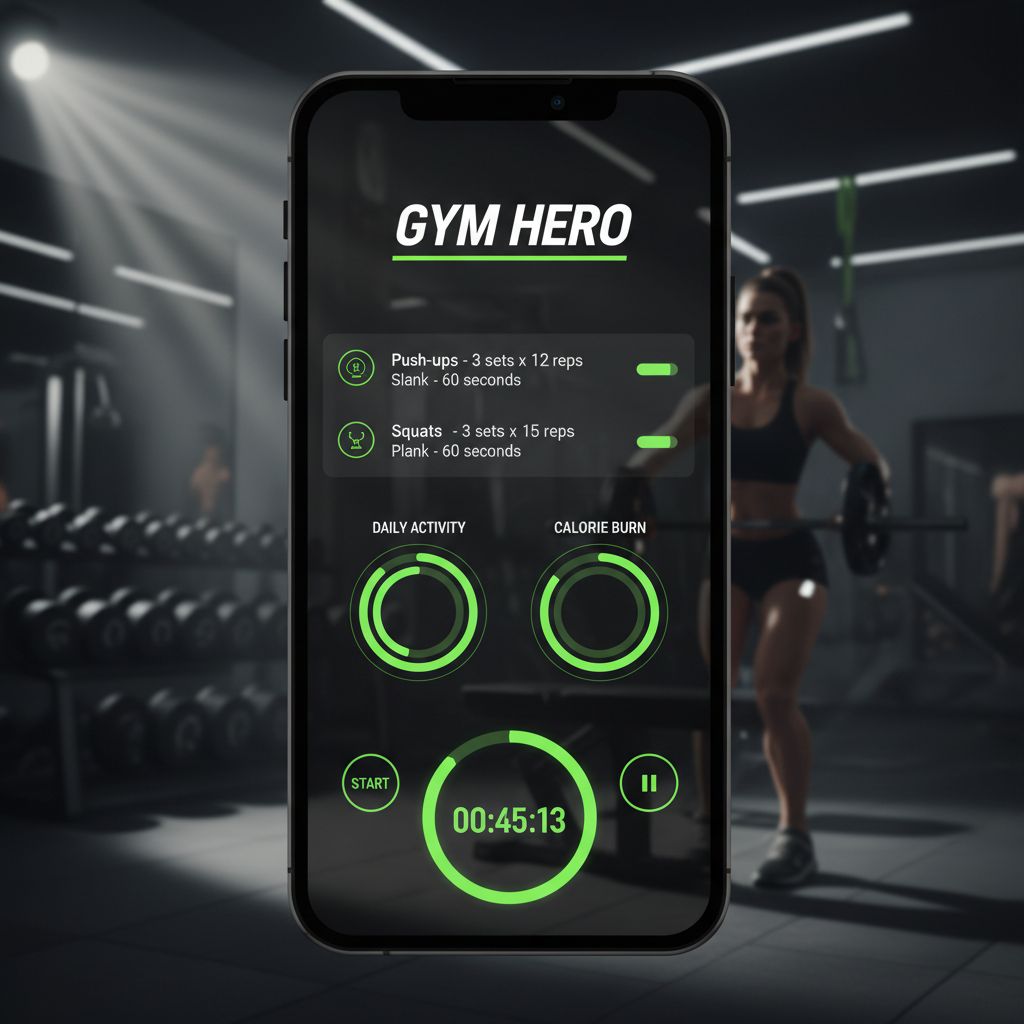
Not all workout trackers are created equal. The right features depend on your training style, but certain capabilities separate the useful apps from the frustrating ones.
Exercise library and customization should be your first consideration. Some apps come with thousands of pre-loaded exercises with video demonstrations. Others let you create custom exercises with whatever names make sense to you. If you do unconventional movements or have specific equipment, customization becomes essential.
Set history and progress tracking form the core of any good tracker. You need to see what you did last time—ideally without digging through multiple screens. The best apps show your previous sets right when you're about to log new ones. Some display your one-rep max (1RM) calculations automatically, while others chart your progress over time with graphs.
Rest timers might seem basic, but they matter more than you'd think. A good timer starts automatically after you log a set and sends notifications when it's time for your next one. Advanced versions let you set different rest periods for different exercises.
Workout planning and routines separate casual trackers from serious training tools. Can you create structured programs? Do exercises stay organized by workout day or muscle group? Some apps let you build detailed training splits (Push/Pull/Legs, Upper/Lower, etc.) while others just give you a list of exercises.
Offline functionality becomes critical if your gym has spotty reception or you train in a basement. Apps that require constant internet connection will frustrate you when you can't log sets mid-workout.
Data export and backup protects years of training data. Look for apps that let you export your information, even if it's just for backup purposes. Some apps lock your data behind their platform with no export option—a red flag if you ever want to switch apps or analyze your training elsewhere.
Smart plate calculator is a feature you don't know you need until you have it. Instead of doing mental math to figure out which plates to load on the bar, the app tells you exactly which combination to use.
[INFOGRAPHIC: Feature comparison matrix showing which features are essential vs nice-to-have for different training goals]
Best Workout Tracking Apps Comparison
Let's break down the top workout tracker apps across different categories. Each excels in specific areas, and the "best" one depends entirely on what you're trying to accomplish.
Strong Workout Tracker
Platform: iOS, Android
Price: Free with limitations; Pro version $4.99/month or $29.99/year
Strong has earned its reputation as the go-to app for serious lifters. The interface is clean and intuitive—you can start logging sets within seconds of opening the app. With over 1.2 million downloads and a 4.9 rating, it's clearly doing something right.
The free version lets you track up to three workouts, which works fine if you follow a simple routine. The Pro version removes this limit and adds features like plate calculator, automatic rest timer, and detailed analytics.
What makes Strong stand out is its speed. You're not navigating through multiple menus to log a set. Swipe on an exercise, enter your numbers, done. The app remembers your last workout and pre-fills those numbers, so you're just adjusting weight or reps.
The downside? No built-in workout programs. You're creating everything from scratch or following a program you found elsewhere.
Hevy
Platform: iOS, Android, Wear OS
Price: Free with ads; Premium $9.99/month or $59.99/year
Hevy's biggest selling point is that it's genuinely free to use with no workout limits. The ads are minimal and non-intrusive. For someone just starting out or on a tight budget, this matters.
The app includes a massive exercise library with instructional videos—helpful if you're learning new movements. The routine builder is straightforward, and the calendar view shows your training frequency at a glance.
Hevy also emphasizes community features. You can follow other users, share workouts, and see what exercises are trending. Whether you care about the social aspect depends on your personality, but it's there if you want it.
The Wear OS integration means you can log sets from your smartwatch without pulling out your phone. Convenient if you're already wearing one.
JEFIT
Platform: iOS, Android
Price: Free; Elite version $12.99/month or $69.99/year
JEFIT has been around since 2010, making it one of the oldest workout trackers still actively developed. The app includes over 1,400 exercises with animations and instructions.
What sets JEFIT apart is its extensive library of pre-made workout programs. Whether you're following Starting Strength, 5/3/1, or a bodybuilding split, there's probably a template already built. You can also browse programs created by other users.
The free version is surprisingly robust. You get full tracking capabilities, exercise library, and basic analytics. The Elite version adds advanced analytics, removes ads, and includes workout planning tools.
The interface feels dated compared to newer apps, but functionality trumps aesthetics for many users. If you want a comprehensive tool with proven longevity, JEFIT delivers.
Fitbod
Platform: iOS, Android
Price: $12.99/month or $79.99/year (3 free workouts to try)
Fitbod takes a different approach: AI-generated workouts based on your goals, available equipment, and recovery status. Tell the app what you want to work on, and it creates a workout for you.
The algorithm considers muscle fatigue and recovery, rotating exercises to prevent overtraining specific muscle groups. If you crushed your chest yesterday, today's workout will focus elsewhere.
This works brilliantly for people who don't want to plan their own workouts or those who get bored doing the same routine repeatedly. The variety keeps training fresh.
The catch? It's subscription-only with no free tier beyond the trial. You're paying for the AI workout generation, which may or may not be worth it depending on whether you value that feature.
Setgraph
Platform: iOS, Android
Price: Free for 5 days; subscription or lifetime membership required after trial
Setgraph focuses on speed and simplicity for strength training. The app is built around the idea that you shouldn't need to plan everything in advance—you can just add exercises as you go and start logging sets immediately.
The core concept is straightforward: create exercises once, then access them whenever you need them. You don't have to set up elaborate workout plans if you don't want to. Just find the exercise you're about to do, see what you did last time, and aim to beat it.
For users who do want structure, Setgraph lets you organize exercises into workouts (like "Leg Day" or "Monday"). The same exercise can appear in multiple workouts, but you're always seeing the complete set history regardless of which workout you accessed it from.
The AI workout generator creates personalized training plans based on your goals, schedule, and available equipment. This helps beginners who don't know where to start or experienced lifters who want to try something new.
Unique features include workout notes for program instructions, customizable rest timers per exercise, and a smart plate calculator. The app doesn't force you to track everything—you decide what matters to you.
Setgraph requires a subscription or lifetime membership after the initial trial period, with pricing varying by region.
Apps for Strength Training and Weightlifting
Strength training apps need specific capabilities that cardio or general fitness apps don't. You're tracking progressive overload, managing rest periods, and often following complex periodization schemes.
For powerlifters and strength athletes, apps that support percentage-based training are essential. Programs like 5/3/1, Westside Barbell, or Texas Method rely on calculating weights based on your training max. Strong and JEFIT both handle this well, with built-in calculators that do the math for you.
Bodybuilders need different features. Volume tracking becomes more important than one-rep maxes. You want to see total sets per muscle group per week, not just whether you hit a PR. Hevy and JEFIT excel here with their analytics showing volume distribution across muscle groups.
Olympic weightlifters face a unique challenge: most apps aren't designed for the snatch and clean & jerk. You need to track technique variations (hang snatch, power clean, etc.) and often work in percentages. JEFIT's custom exercise creation works well for this, though you'll need to build your own templates.
The plate calculator feature deserves special mention for barbell training. When you're loading 315 pounds, you don't want to do mental math. Apps like Strong and Setgraph tell you exactly which plates to load: "45-35-10-2.5 on each side." Small feature, huge convenience.
Rest timer customization matters more than you'd think. Your rest between heavy squats (3-5 minutes) differs from rest between bicep curls (60-90 seconds). Apps that let you set default rest times per exercise save you from constantly adjusting timers.
Apps for Cardio and Running Workouts
Cardio tracking requires different metrics than strength training. You're measuring distance, pace, heart rate, and duration rather than sets and reps.
Strava dominates the running and cycling space. The app uses GPS to track your routes, calculates pace and elevation, and creates a social network around your activities. Segments let you compete against other users on specific route sections. The free version covers most needs; Premium ($11.99/month) adds detailed analytics and training plans.
Nike Run Club offers completely free GPS tracking with guided runs coached by Nike trainers. The audio coaching during runs provides motivation and pacing guidance. It integrates with Apple Health and Google Fit, syncing your data across platforms.
Runkeeper (owned by ASICS) provides GPS tracking with customizable audio cues. You can set it to announce your pace every mile or alert you when you're running too fast or slow. The free version is solid; the premium tier ($9.99/month) adds training plans and live tracking.
For indoor cardio like rowing, cycling, or elliptical, most strength training apps fall short. You're better off with equipment-specific apps (Peloton, Zwift, Concept2 Logbook) or general fitness trackers that handle cardio sessions.
The integration question becomes important here. If you're doing both strength training and cardio, do you want separate apps or one that handles both? Apps like Fitbod and JEFIT include cardio tracking, but they're not as sophisticated as dedicated running apps. Many people use a strength app for lifting and Strava for running, accepting the split.
Apps for Bodyweight and Home Workouts
Bodyweight training presents unique tracking challenges. You're not adding weight to the bar—you're progressing through exercise variations (regular pushups to archer pushups to one-arm pushups).
Caliverse is built specifically for calisthenics. The app includes progressions for skills like handstands, muscle-ups, and front levers. It tracks your journey through increasingly difficult variations and includes tutorial videos for each movement.
Freeletics uses AI to generate bodyweight workouts based on your fitness level. The app adapts as you get stronger, increasing intensity and complexity. It's subscription-based ($12.99/month) but includes nutrition guidance alongside training.
BodyWeight Fitness is a free, open-source app based on Reddit's recommended routine. It's completely free with no ads or subscriptions. The app guides you through the routine with timers and form cues. Perfect for beginners following a proven program.
Most general workout trackers (Strong, Hevy, JEFIT) handle bodyweight exercises fine—you just track reps instead of weight. The advantage of bodyweight-specific apps is the progression guidance. They know that after you can do 3x12 diamond pushups, you should move to pseudo planche pushups, not just keep adding reps.
For home gym owners with equipment, standard strength training apps work perfectly. You're doing the same movements as commercial gym users, just with different equipment. The key is finding an app that lets you customize exercises for your specific setup.
Free vs Premium Workout Tracker Apps
The free-versus-paid decision depends on how seriously you train and what features you actually use.
Free versions typically include:
Basic exercise tracking (sets, reps, weight)
Limited workout creation (often 3-5 workouts)
Exercise library with demonstrations
Simple progress charts
Manual rest timers
Premium versions add:
Unlimited workout creation
Advanced analytics and progress tracking
Automatic rest timers with notifications
Plate calculators
Data export and backup
No advertisements
Cloud sync across devices
Custom exercise creation
Workout templates and programs
For beginners, free versions usually suffice. You're learning movements, establishing consistency, and figuring out what you actually need from an app. Hevy's free tier is genuinely useful, and Strong's free version works if you follow a simple three-day split.
Intermediate and advanced lifters often find premium features worth the cost. When you're running multiple training blocks, tracking periodization, and analyzing volume over time, the advanced analytics justify the subscription. The time saved with features like plate calculators and automatic timers adds up over months of training.
The lifetime membership option (offered by apps like Setgraph and Strong) makes financial sense if you plan to use the app for years. A $100 lifetime purchase beats paying $60 annually for five years. However, you're betting the app will still exist and receive updates years from now.
Consider the cost per workout. If you train four times per week and pay $5/month for an app, that's about $0.29 per workout. For something you use 15-20 times per month, the value proposition is reasonable if the features genuinely improve your training.
Red flags for premium versions:
Features locked behind premium that should be basic (like tracking more than three exercises)
Aggressive upselling within the app
No free trial to test premium features
Subscription required just to access your own data
How to Choose the Right Workout Tracker for Your Goals
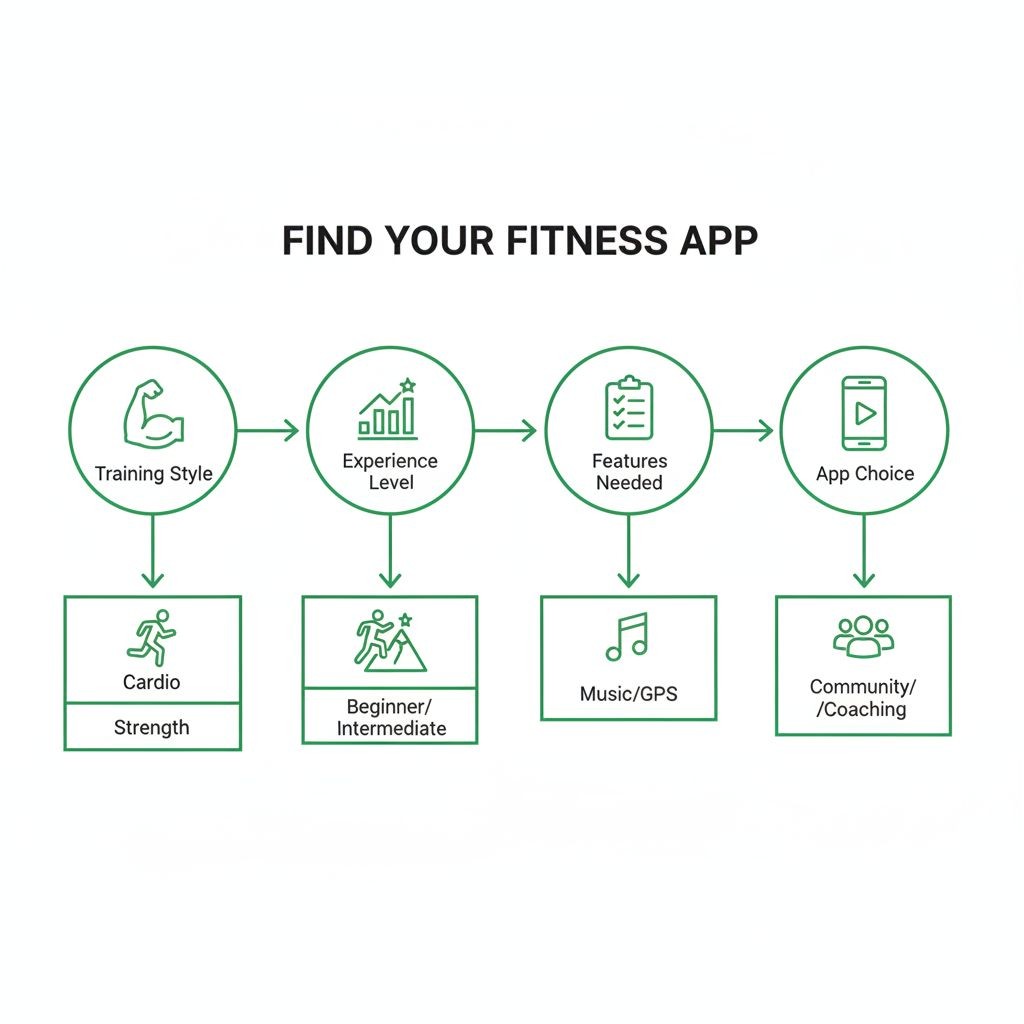
Your training style should drive your app choice, not the other way around.
If you follow structured programs (5/3/1, Starting Strength, PPL), look for apps with robust routine builders and percentage calculators. JEFIT and Strong excel here. You want to input your program once and have the app guide you through it.
If you prefer flexibility and decide what to do at the gym, choose apps that make quick logging easy. Setgraph and Hevy let you access exercises without navigating through pre-planned workouts. You're not locked into a rigid structure.
If you're a beginner who needs guidance, apps with built-in programs or AI workout generation help. Fitbod and JEFIT provide this. You're not just tracking—you're learning what to do.
If you train multiple disciplines (lifting plus running plus yoga), consider whether you want one app for everything or specialized apps for each. Most people end up with a strength app plus a cardio app, syncing data through Apple Health or Google Fit.
Platform considerations matter. If you're deeply invested in the Apple ecosystem, an iOS-only app with Apple Watch integration might be perfect. Android users should verify the app works well on their platform—some apps clearly prioritize one OS over the other.
Privacy concerns should influence your decision. Check what data the app collects and whether it's sold to third parties. Apps that offer local data storage or export options give you more control. Read the privacy policy, especially for free apps that might monetize your workout data.
Offline functionality is non-negotiable if your gym has poor reception. Test this during your trial period. Some apps claim offline support but sync poorly or lose data when connection is spotty.
Integration with other platforms extends your app's usefulness. Does it sync with Apple Health, Google Fit, MyFitnessPal, or your smartwatch? If you're tracking nutrition, sleep, or other health metrics elsewhere, integration creates a complete picture.
Try multiple apps during their trial periods. What works for your training partner might frustrate you. The best app is the one you'll actually use consistently, which often comes down to interface preferences and workflow.
Getting Started with Your First Workout Tracking App
Starting with a workout tracker feels overwhelming when you see all the features and options. Here's how to actually begin without getting lost in setup.
Start simple. Don't try to input your entire training history or create elaborate programs on day one. Pick 3-5 exercises you're doing this week and just track those. You can expand later.
Your first workout should be a test run. Bring your phone to the gym and log sets in real-time. This reveals whether the app's interface works for you. If you're fumbling through menus between sets, try a different app.
Don't overthink exercise names. You don't need to match the app's exact terminology. If you call it "chest press" instead of "barbell bench press," that's fine. Name exercises in a way that makes sense to you.
Use workout notes strategically. Instead of trying to remember your program details, write them in the workout notes. "5x5 increasing weight each set" or "3 sets to failure" gives you context when you open the app weeks later.
Set realistic rest timers. Start with longer rest periods than you think you need. You can always shorten them. Rushing between sets because the timer is too aggressive defeats the purpose.
Review your data weekly. Pick one day per week to look at your progress. Are you adding weight? Increasing reps? Seeing patterns? This weekly review builds the habit of actually using the data you're collecting.
Backup your data early. Don't wait until you have months of training logged. Export or backup your data within the first week. Apps shut down, phones break, and accounts get locked. Protect your information.
Ignore features you don't need. Most apps include capabilities you'll never use. That's okay. You don't need to track body measurements, take progress photos, or log your nutrition if those don't interest you. Use what helps; ignore the rest.
For those interested in learning more about effective training principles that complement workout tracking, exploring core strength training techniques can help you make better use of the data you're collecting.
Tips for Maximizing Your Workout Tracker Results
Tracking workouts is pointless if you don't use the data to improve. Here's how to extract actual value from your logs.
Log immediately, not later. Waiting until after your workout means you're recording from memory, which is unreliable. Log each set right after you complete it. The 30 seconds it takes is worth the accuracy.
Focus on progressive overload. Your tracker should show clear progression over time. Each workout, aim to beat your previous performance—more weight, more reps, or better form. If you're not progressing, your training needs adjustment.
Track more than just numbers. Use the notes field to record how sets felt. "Easy," "struggled on last rep," or "lower back tight" provides context that raw numbers miss. Months later, these notes explain why certain workouts went well or poorly.
Identify patterns in your performance. Review your data monthly. Do you consistently perform better on certain days? Are specific exercises stalling while others progress? These patterns reveal what's working and what needs to change.
Use rest periods strategically. Don't just let the timer run—actually rest for the prescribed time. Cutting rest short to finish faster compromises your performance on subsequent sets. The timer exists to optimize your training, not rush you.
Set specific, measurable goals. "Get stronger" is vague. "Add 20 pounds to my squat in 12 weeks" is specific. Your tracker shows whether you're on pace to hit that goal or need to adjust your approach.
Don't chase PRs every workout. Progressive overload doesn't mean setting personal records constantly. Sometimes progression is doing the same weight for more reps, or the same workout with better form, or maintaining strength while losing weight.
Review deload weeks. When you take a deload (reduced training volume), your tracker should show it. If your logs show you're constantly pushing hard with no recovery weeks, you're probably not recovering adequately.
Share data with your coach or training partner. If you work with a trainer, your workout logs give them objective data to program from. Training partners can review each other's logs for accountability and motivation.
Export your data periodically. Even if you love your current app, export your training history every few months. Apps change, companies fold, and subscriptions lapse. Your training data is valuable—protect it.
For more guidance on optimizing your training approach, check out these expert workout tips and guides that complement effective workout tracking.
[INFOGRAPHIC: Decision tree flowchart showing how to choose the right workout tracker app based on training style, experience level, and specific needs]
Finding Your Perfect Workout Tracking Solution
The right app to track workouts transforms your training from guesswork into a systematic progression. Whether you choose Strong for its simplicity, Hevy for its free features, JEFIT for its program library, Fitbod for AI-generated workouts, or Setgraph for its speed and flexibility, the key is consistent use.
Your workout tracker should fade into the background of your training. It shouldn't require constant attention or complicated setup. The best app is the one that captures your data effortlessly and presents it clearly when you need it.
Start with a free trial or free version. Test the app during actual workouts, not just while sitting on your couch. Pay attention to how quickly you can log sets, whether the interface makes sense under gym conditions, and if you actually look at the data between workouts.
Remember that the app is a tool, not a solution. It won't make you stronger by itself. But when used consistently, it provides the feedback loop that drives improvement. You see what worked, what didn't, and what to try next.
If you're looking for a workout tracker that prioritizes speed and simplicity while offering powerful features like AI-generated workout plans and comprehensive set history, try Setgraph and see if it fits your training style. The first five days are free, giving you time to test it during real workouts before committing.
The perfect workout tracker is the one you'll still be using six months from now. Choose based on your actual training needs, not the longest feature list. Your future self will thank you for the data.
Article created using Lovarank


