Workout Log Tracker Guide: How to Track Training, Progress, and PRs
A workout log tracker is one of the simplest tools you can use to train better. Instead of relying on memory, you have a clean record of what you did last session, what you need to beat next time, and where your training is starting to stall. That makes it easier to stay consistent, spot real progress, and build workouts that actually move you forward.
What Is a Workout Log Tracker?
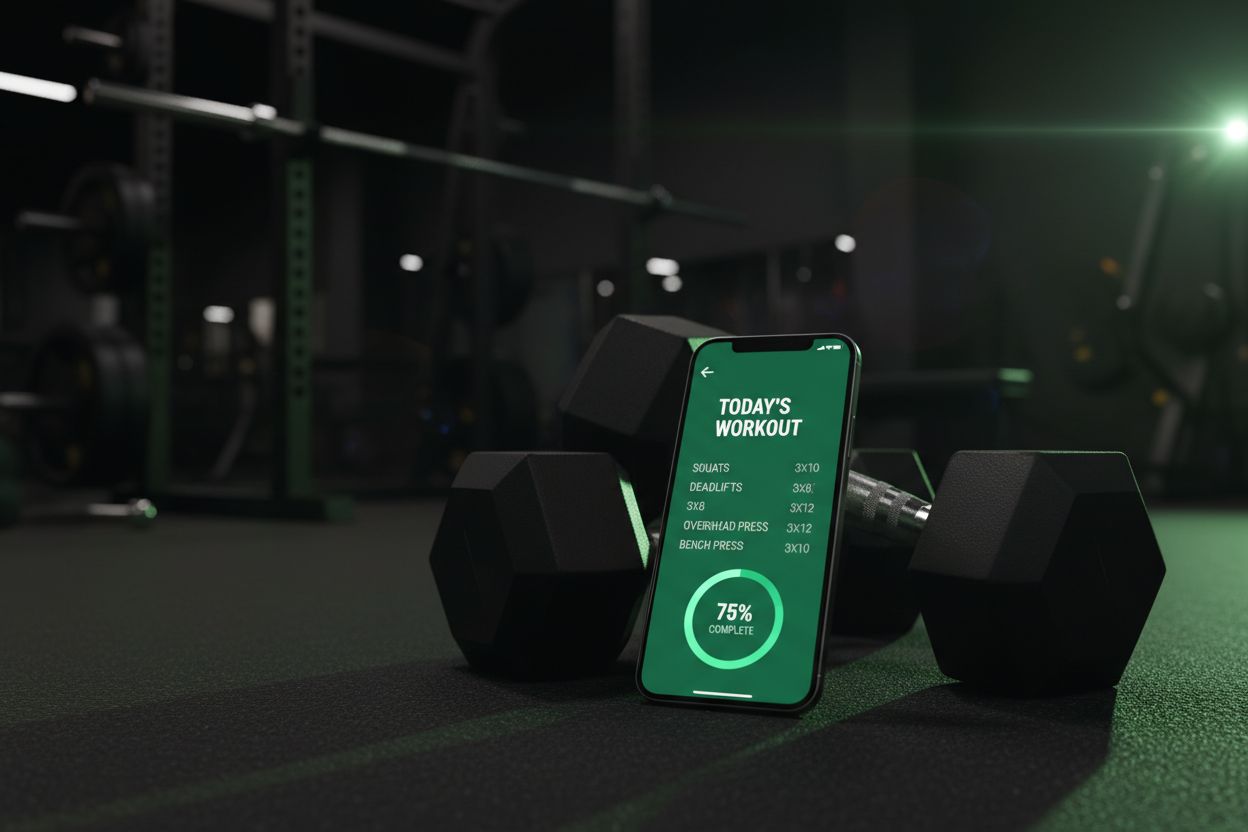
A workout log tracker is any tool that helps you record training sessions in an organized way. That can be a dedicated app, a notebook, a spreadsheet, or a fitness journal, but the best versions make logging fast enough that you will actually keep using them.
At its core, a workout log tracker captures the details that matter most:
Exercise name
Sets, reps, and weight
Rest time or session duration
Notes on form, effort, or pain
Personal records and progress over time
A good tracker does more than store numbers. It turns those numbers into a training history you can use. That history helps you see whether you are getting stronger, doing more volume, or simply repeating the same workout without any real progression.
Why Use a Workout Log Tracker Instead of Notes or Excel?
If you have ever scribbled a workout in your phone’s Notes app or built a spreadsheet that slowly became messy, you already know the problem. Generic tools can work for a while, but they usually get slower, harder to read, and easier to abandon when the gym gets busy.
A purpose-built workout log tracker solves that by keeping the process fast and structured. You open the app, choose the exercise, record the set, and move on. That matters because the best log is the one you can use between sets without losing focus.
Here is why people usually switch from notes or spreadsheets to a workout log tracker:
Faster logging. You are not rebuilding the same format every session.
Better history. Previous workouts are easy to find and compare.
Less guesswork. You can see exactly what you lifted last week.
Cleaner progression. It is easier to spot when to add weight or reps.
More consistency. A simple log makes it easier to stick with the habit.
If you want a tracker-first app, Setgraph’s workout log focuses on quick set entry, workout history, and notes, which is the kind of workflow many lifters want when they are trying to move fast between sets.
What Should a Good Workout Log Tracker Record?
Not every training style needs the same level of detail, but the best workout log tracker gives you enough information to make smart decisions later.
The essentials
For most lifters, these are the must-have fields:
Exercise name so you know exactly what movement you performed
Sets, reps, and weight so you can compare performance across sessions
Date and time so you can track frequency and recovery patterns
Notes for form cues, equipment changes, or how the set felt
Helpful extras
If you want deeper insight, look for features like these:
Volume tracking to see how much work you are doing overall
Personal records for top sets, rep PRs, or weight PRs
Estimated 1RM if you train with strength goals
Rest timers to keep session flow tight
Exercise history so you can repeat previous loads quickly
Filters and charts to compare performance across rep ranges or weight ranges
Setgraph’s workout tracker highlights correlation analysis, set filters, and daily progress graphs, which is useful if you like seeing how reps, weight, sets, and volume change over time instead of just reading raw numbers.
What to track by training style
A workout log tracker should adapt to your training, not the other way around.
Strength training: top sets, back-off sets, load, reps, rest
Hypertrophy: volume, rep ranges, exercise order, tempo, notes
Bodyweight training: reps, difficulty level, added load, assistance used
Cardio and conditioning: time, pace, rounds, distance, intervals
Rehab or return-to-training: load tolerance, pain notes, range of motion
If you train with a mix of barbell work, accessories, and conditioning, your tracker should handle all of it without forcing you into one narrow format.
How to Set Up Your First Routine
The easiest way to get value from a workout log tracker is to start simple. Do not build a complicated system on day one. Build a routine you can follow, then let the tracker help you improve it.
1. Pick one clear goal
Your goal determines what you should track and how you should progress.
Want to get stronger? Focus on load, reps, and top sets.
Want to build muscle? Focus on volume, exercise selection, and rep targets.
Want general fitness? Focus on consistency and session completion.
2. Choose a weekly structure
A simple split is usually enough:
Full body, 3 days per week
Upper lower, 4 days per week
Push pull legs, 5 or 6 days per week
If you are still building your routine, a workout planner can help keep things organized. Setgraph’s workout planner is built around structured splits and goal-based routines, which is helpful if you want a clear plan before you start logging.
3. Add your main lifts first
Start with the movements that matter most:
Squat or leg press
Bench press or dumbbell press
Deadlift or hinge variation
Row or pull-down
Overhead press
Then add a few accessories if you have energy and time.
4. Decide how progression will work
A workout log tracker is most useful when it supports a progression rule. Pick one before you start.
Common options include:
Add 5 pounds when you hit the top of your rep range
Add one rep per set before increasing weight
Add one set after performance stalls
Repeat the same load until form feels cleaner
5. Keep notes short and useful
Good notes are specific. Write down what you will actually care about later:
“Paused too long between sets”
“Lower back felt tight on deadlifts”
“Dumbbells unavailable, switched to machine press”
“Hitting depth was easier this week”
The goal is not to journal every thought. The goal is to leave a trail your future self can use.
How to Log a Workout in Under 60 Seconds
A workout log tracker should make logging feel quick, not like a second job. If it takes too long, you will skip details or stop using it altogether.
Use this simple workflow:
Open the exercise or workout template.
Pull up your previous session for the same movement.
Enter only the work sets that matter.
Repeat the last set if the load and reps stayed the same.
Add one note only if something changed.
Move on to the next exercise.
That approach works especially well if you repeat the same exercises each week. Many lifters only need to record the working weight, reps, and one or two quick notes. Everything else is optional.
For lifters who care about strength targets, a 1RM calculator can be helpful too. Setgraph’s 1RM calculator is designed to estimate one-rep max and related loads, which can be useful when you are choosing a working weight or planning a heavier session.
How to Review Progress Without Overthinking It
A workout log tracker only helps if you use the data. The good news is that progress review does not have to be complicated.
Check these things every week or two:
Are your top sets getting heavier?
Are you doing more reps with the same weight?
Is total volume trending up?
Are certain exercises stalling while others improve?
Are your notes showing repeated recovery or technique issues?
You do not need a perfect trend line. Training moves in waves. Some weeks feel great, some do not. What matters is the broader direction over time.
A simple review process looks like this:
Compare this week’s top set with last week’s
Look at a 4 to 8 week window, not just one session
Decide whether the next step is more weight, more reps, or more recovery
Keep changes small so you can tell what actually worked
If your tracker shows graphs, volume trends, or comparisons by rep range, use them. Visual feedback makes it easier to spot patterns that are easy to miss in plain text.
Workout Log Tracker vs Spreadsheet vs Fitness Tracker
People often compare a workout log tracker with a spreadsheet or a fitness tracker, but each tool solves a different problem.
Tool | Best for | Main limitation |
|---|---|---|
Workout log tracker | Logging sets, reps, weight, and progress quickly | Less flexible than a spreadsheet for custom analysis |
Spreadsheet | Total control and custom formulas | Slower to use in the gym |
Fitness tracker | Heart rate, steps, calories, and general activity | Usually not detailed enough for strength training |
If your main goal is lifting progress, a dedicated workout log tracker is usually the best fit. It is faster than a spreadsheet and more training-specific than a wearable or general fitness app.
Best Workout Log Tracker Use Cases by Training Style
A good tracker can work for almost anyone, but different training styles benefit from different features.
Beginners
Beginners need simplicity more than anything else. A clean workout log tracker helps them learn consistency, understand exercise order, and avoid repeating the same mistakes week after week.
Best focus:
Exercise name
Sets, reps, and weight
Notes on form and confidence
A simple weekly routine
Powerlifters and strength-focused lifters
Strength athletes care about load progression, rest, and top-set performance. A tracker that makes it easy to compare heavy sessions over time is especially valuable.
Best focus:
Top sets and back-off sets
PRs and estimated 1RM
Rest timers
History for squat, bench, and deadlift
Bodybuilders and hypertrophy trainees
If your goal is muscle growth, you need to see whether your weekly volume and exercise performance are trending in the right direction.
Best focus:
Total sets per muscle group
Rep ranges
Exercise order
Volume over time
Notes on pump, fatigue, and mind-muscle connection
Home gym users
Home gym training often means making smart substitutions. A log tracker helps you remember which variation worked when equipment was limited.
Best focus:
Equipment used
Exercise substitutions
Load progression with limited plates or dumbbell jumps
Session notes for space and setup changes
Calisthenics and bodyweight athletes
Bodyweight training still needs tracking, even if the numbers look different from barbell lifting.
Best focus:
Reps and sets
Weighted variations
Assistance level
Tempo and range of motion
CrossFit, HIIT, and conditioning
For conditioning work, the tracker needs to handle time and intensity as well as reps.
Best focus:
Rounds
Time
Distance
Intervals
Scaling details
Rehab and return-to-training
If you are coming back from an injury, tracking helps you stay patient and avoid jumping too quickly.
Best focus:
Pain notes
Range of motion
Tolerated load
Recovery between sessions
What Makes a Workout Log Tracker Worth Using Long Term?
The best workout log tracker is not the one with the most features. It is the one that fits into your training without slowing you down.
Look for these qualities:
Fast logging
Clear history
Useful progress charts
Easy routine setup
Simple notes
Flexible enough for different training styles
Enough detail to help, not so much that logging becomes a chore
If an app makes you think too hard in the middle of a session, it is probably too complicated. If it helps you capture just enough detail to train better next week, it is doing its job.
Frequently Asked Questions
Do workout log trackers work offline?
Some do, some do not. If offline logging matters to you, check that feature before you commit to an app.
Can I import old workouts from Excel?
Sometimes, yes, but it depends on the app. Look for CSV import or migration tools if you want to bring in old data.
Can I export my data?
A good workout log tracker should give you some way to back up your training history, whether that is CSV export, PDF export, or another download option.
Do I need a subscription?
Not always. Some apps are free, some are freemium, and some are paid from the start. The best choice depends on whether you need basic logging or advanced features.
Can I track body measurements too?
Many training apps let you add notes or extra metrics, but not all of them track measurements directly. If body composition matters to you, check for measurement fields or a separate progress module.
Can I use a workout log tracker on a watch only?
Some apps support smartwatch logging, but phone entry is usually faster and easier for most people. Watch support is nice, but it should not be the only thing you rely on.
Is a workout log tracker good for beginners?
Yes. Beginners often benefit the most because they are still learning what to repeat, what to increase, and what to leave alone.
Final Thoughts
A workout log tracker is one of the easiest ways to make your training more intentional. It keeps your workouts organized, makes progression visible, and gives you a clean record you can use to make better decisions.
If you keep the process simple, log consistently, and review your numbers every few weeks, you will get far more value from your training than you would from guessing. Start with the basics, track what matters, and let the log do its job.
If you want a tracker that is built around quick logging, progress visibility, and structured planning, explore the workout log, workout tracker, workout planner, and 1RM calculator pages to see how a streamlined setup can support your next training cycle.
Article created using Lovarank